





















Rippling is a unified workforce platform that combines HR, IT, and Finance into a single system built on one employee data model, eliminating the manual handoffs that come with managing those functions through separate tools.
- Primary Features: Core HR and employee database, payroll (domestic and global), applicant tracking and recruiting, onboarding and offboarding, benefits administration, time tracking and attendance, performance management, IT and device management, spend management and corporate cards, AI and workflow automation, reporting and analytics.
- Starting Price: From $8 per employee/month for the Core platform, with a $35/month base fee. Each additional module (payroll, benefits, IT, time tracking) adds $4 to $12 per employee/month. All pricing is quote-based.
- Best For: Tech-forward companies between 50 and 2,000 employees that want HR, IT, and Finance governed from one employee record, especially distributed or multi-state teams that need automation at scale.
- Not Ideal For: Businesses under 25 employees looking for a simple, transparent payroll-first tool, teams that want published pricing before engaging sales, or organizations that only need HR without IT or Finance modules.
- Integration: Users integrate Skima AI with Rippling to screen new applicants, rediscover past talent who fit new roles, and score every match with clear, explainable reasoning, all without replacing Rippling.
Rippling positioned itself differently by treating the employee record as the link between HR, IT, and Finance. This approach avoids adding those functions as aftermarket bolt-ons. That architectural choice makes the platform appealing for growing companies. However, it also brings setup complexity that simpler alternatives do not have.
I evaluated every feature across Rippling's HR, IT, and Finance clouds, tested its newer AI capabilities, and checked all of it against verified user feedback. My Rippling review covers what each module delivers and whether the recruiting side has enough depth for hiring-intensive teams. Let's get into it.
What Is Rippling?
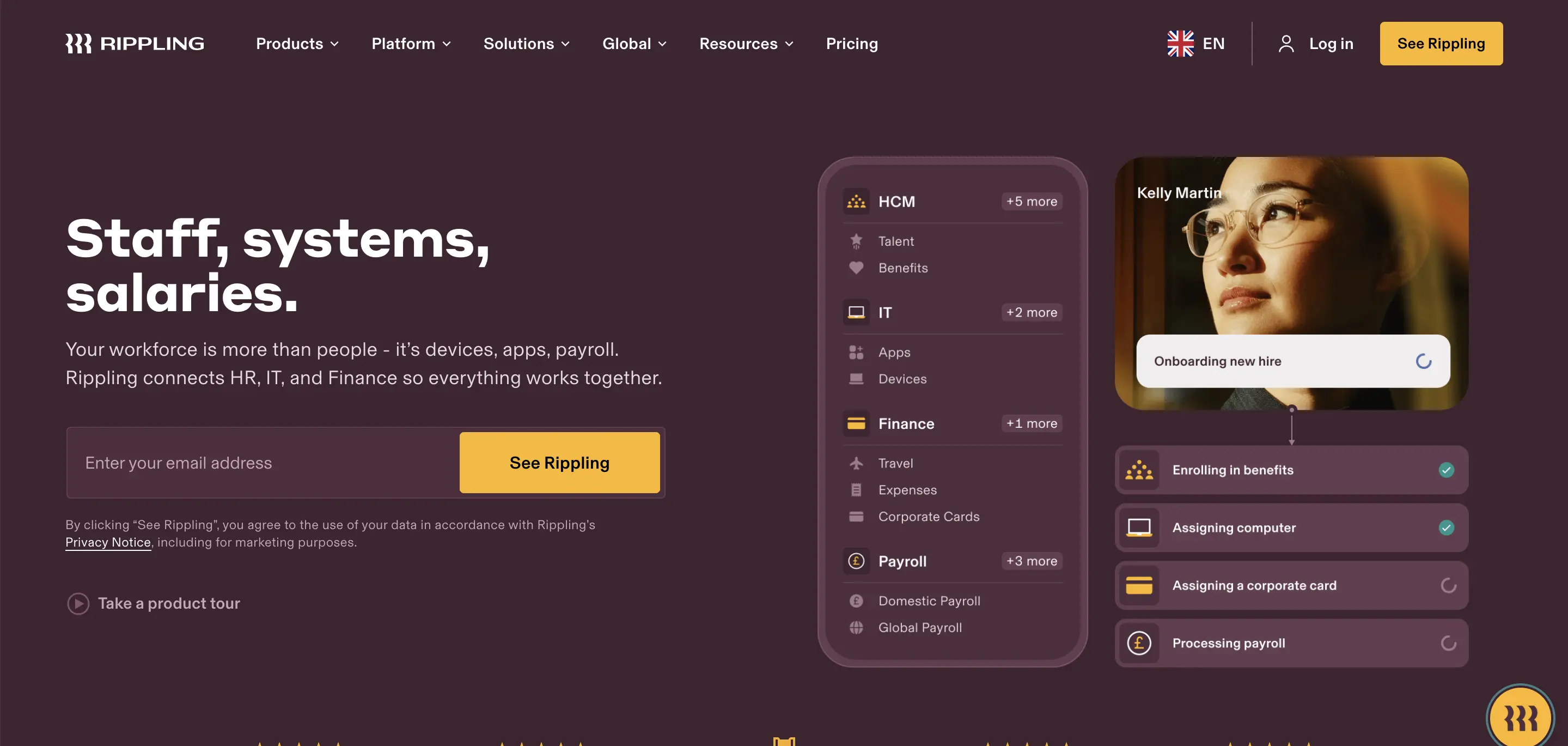
Rippling is a workforce management platform that unifies HR, IT, and Finance into one system built on a shared employee data model. Co-founder Parker Conrad still leads the company.
When an employee's role, location, or department changes, that change propagates across payroll, benefits, device access, app permissions, and spend policies automatically. Operations-heavy teams get genuine value from that automation, but a 20-person company with simple needs may find it more of a platform than necessary.
Rippling Features Review
Rippling built every module on the same employee record, so a change in one place flows everywhere else. I evaluated each feature across the HR, Recruiting, IT, and Finance clouds to check where that architecture delivers a genuine advantage and where the depth still falls short:
Core HR & Employee Database
The employee record is the foundation everything else in Rippling connects to. Employee profiles, org charts, custom fields, document storage, and approval workflows all live in one place. I changed a test employee's department and saw the update to payroll, benefits, IT access, and spend policies without a second manual step.
Self-service is well-designed. Employees can view pay stubs, update personal information, request time off, and sign documents without contacting HR. Configurable permissions let admins control exactly what each role can see, edit, or approve.
Payroll
Rippling's payroll module handles tax calculations, deductions, and direct deposits across all 50 U.S. states. I tested the claim that payroll can be completed in 90 seconds, and for a standard cycle with no exceptions, it holds up.
The system auto-calculates federal, state, and local taxes and files them on the employer's behalf. When compensation, benefits, or time data changes elsewhere in the platform, payroll reflects those updates without manual re-entry.
An AI assistant launched in 2026 can add bonuses, generate payroll reports, and flag discrepancies. Multi-state teams benefit the most here, since the tax engine handles jurisdictional complexity without requiring the admin to track it manually.
Global Payroll & Employer of Record
Rippling offers native payroll processing in the U.S., Canada, the UK, and Australia. Global payroll services extend to over 50 countries through local partners. The Employer of Record service covers more than 80 countries, enabling companies to hire international employees without needing to set up local entities.
Additionally, a Contractor of Record option helps manage the risk of worker misclassification for international contractors.
I checked the pricing details, but nothing was published. Third-party estimates suggest that EOR costs range from $499 to $1,000 per employee per month, depending on the country and volume, in addition to the required base platform fee. Companies with a large international workforce will see their total costs increase most rapidly through this module.
Applicant Tracking & Recruiting
The recruiting module covers job posting, candidate pipelines, interview scheduling, and offer letter generation. Resume parsing automatically extracts candidate details upon upload, including from non-English resumes. I tested the Interview Assistant during a mock session. The transcription and summary saved a lot of time that usually goes to writing up notes afterward.
Custom workflows can automate the post-offer process, and I configured one that triggered background checks, E-Verify, and new-hire paperwork in sequence without manual handoffs.
The ATS is functional for companies with moderate hiring volume, but it lacks native candidate matching, talent rediscovery from past applicants, or advanced AI-driven screening. Teams with high-volume recruiting needs will notice these gaps quickly.
Onboarding & Offboarding
Onboarding is one of the modules that benefits the most from Rippling's unified data model. A single hire action can trigger payroll setup, benefits enrollment, device provisioning, app access, and document signing in one automated workflow.
I went through the sequence, and for a U.S.-based full-time hire, the entire onboarding package was completed without any manual intervention at each step.
Offboarding works in the same way but in reverse. When a departure is entered, the system revokes app access, triggers device retrieval workflows, and updates payroll, all from a single action. This removes the security gap that happens when IT and HR manage terminations through separate, disconnected systems.
Benefits Administration
Rippling connects to hundreds of insurance carriers and preferred brokers for health, dental, vision, life, disability, 401(k), HSA/FSA, and commuter benefits. I set up a test enrollment flow, and new hires see only the plans they qualify for, which cuts down on the confusion that open enrollment usually creates. COBRA compliance and life-event changes are managed within the same module.
In 2026, Rippling added AI-powered Benefits Administration, which automates plan recommendations and eligibility logic. The benefits marketplace now includes over 100 partners. International benefits are administered through EOR-managed local plans, though coverage depth varies significantly by country.
Time Tracking & Attendance
Employees can clock in and out through a browser, the mobile app, or a tablet kiosk. I clocked in through the mobile app and the time data appeared in the payroll module immediately; no export or manual sync required.
Geolocation enforcement, overtime calculations, and break compliance rules are configurable per policy. Time-off requests, accrual balances, and a shared absence calendar are also included.
A time-off limit feature launched in 2025 allows admins to cap the number of approved requests during peak periods. Approved hours sync to payroll automatically. The module is straightforward and reliable for salaried and hourly teams alike.
Performance Management
Review cycles, goal tracking, self-assessments, peer feedback, and manager evaluations are all included. The templates are customizable. In September 2025, the module added support for 1:1 meetings. This allows managers to document discussions, track action items, and link feedback directly to employee records.
I set up a mock review cycle, and the configuration was flexible enough for quarterly reviews. However, teams that rely on continuous, informal feedback may find the structure more rigid than dedicated performance tools.
Rippling also offers a Learning Management System as a separate module. Admins can assign training courses, track completions, and enforce compliance-related learning. Completed courses are logged directly into the employee file, which is helpful during audits.
IT & Device Management
This module is Rippling's most significant competitive advantage. No other HR platform combines identity management, single sign-on, multi-factor authentication, device management, and app provisioning on the same employee record.
I traced the entire process for a new hire: Rippling can ship a configured laptop, pre-install required software, enroll the device in MDM, and grant app access, all without needing a separate IT ticket.
SSO, MFA, a password vault, and conditional access policies are all managed from the same dashboard. I focused particularly on offboarding, as this is the most critical moment for IT security.
Revoking a departed employee's access across every connected app and recovering their device occurs in one automated action instead of a manual IT checklist. For companies managing remote or distributed teams, this module alone makes evaluating the platform worthwhile.
Spend Management & Corporate Cards
Rippling's Finance cloud includes corporate cards, expense management, bill pay, and travel booking. I set up a spend policy that adjusted limits based on department and seniority. The rules applied instantly without manual overrides. Real-time visibility into spending replaces the end-of-month reconciliation cycle.
Business Banking, launched in June 2026, adds a checking account directly within Rippling, offering a 2.25% APY and enabling same-day payroll.
Procurement, launched in August 2026, uses AI agents to manage intake, legal review, vendor security checks, and contract renewals. These Finance modules are relatively new, but they show Rippling's strategy of expanding beyond HR and IT into the entire back-office stack.
AI & Automation Tools
Rippling's AI capabilities expanded significantly in 2026. Rippling AI, launched in March, allows users to query and act on HR, IT, and finance data using natural language. The system is permission-aware, so responses respect each user's access level. I tested queries like headcount by department and payroll cost by location, and the results came back correctly.
Additionally, Data Cloud connects third-party business data (Salesforce, Snowflake, Jira) to the employee graph for cross-functional analytics. AI Spend Console, launched in August, tracks which employees use which AI tools and whether that spend produces measurable output. Automated Compliance helps companies achieve SOC 2 readiness using data already inside the platform.
The workflow automation engine continues to be the backbone. Triggers can span HR, IT, and Finance in a single sequence, but careful planning is essential during the initial setup. A single misconfigured workflow can impact multiple modules.
Reporting & Analytics
Standard reports cover headcount, turnover, payroll costs, time-off trends, and device inventory. I built a custom headcount report filtered by department and location, and the report builder handled it without issues. Data Cloud extends this further by letting teams pull in operational data from external tools and combine it with workforce data for cross-functional analysis.
The standard reporting is adequate for most mid-market needs. Where I noticed limits was in advanced analytics, particularly around DEI, compensation benchmarking, or workforce planning. The depth available depends heavily on whether Data Cloud is part of the contract.
Rippling Pricing Review: Is It Worth the Investment?
Rippling publishes one number on its pricing page: $8 per employee per month for the base platform. Everything beyond that requires a custom quote. Third-party contract data and independent pricing trackers point to the following ranges, though Rippling has not publicly confirmed these figures.
The $8 headline price includes the Unity platform, covering employee records, org charts, document storage, basic workflows, and the automation engine. However, payroll, benefits, time tracking, IT management, recruiting, and any Finance module are separate add-ons with individual per-employee charges.
For a company with 100 employees on Core, including payroll and benefits, the annual cost ranges from $25,000 to $35,000. If IT management, time tracking, and recruiting are added, the total could reach $50,000 to $70,000 or more. Using EOR for international hires will further increase costs.
Contract terms are typically annual, and there's no free trial. Evaluating Rippling requires booking a demo. Many verified users express frustration over pricing opacity, as the modular structure complicates total cost forecasting before engaging sales.
Rippling App Shop & Marketplace
Rippling's App Shop connects to over 650 third-party applications across categories including accounting (QuickBooks, Xero, NetSuite, Sage Intacct), collaboration (Slack, Microsoft 365, Google Workspace, Zoom), security (SentinelOne, CrowdStrike), ATS and HR tools (Greenhouse, Skima AI, BambooHR), and many others.
Integrations go deeper than data sync. Rippling's SSO and SCIM support means app access, user provisioning, and license management are all governed by the same permissions engine. When an employee's role changes, their access to connected apps adjusts automatically based on pre-configured rules.
A public API and developer platform allow technical teams to build custom integrations. Custom Apps, expanded with Data Cloud in 2026, let companies build internal tools directly inside Rippling using the platform's data, permissions, and workflows as the foundation.
For teams comparing Rippling against a stack of point solutions, the integration depth is a genuine advantage. The 650+ number includes native, SSO-only, and API-based connections, so the quality varies. Verify the specific integration depth for your critical tools during evaluation.
Rippling Security and Compliance
Rippling's certifications listed on its trust center (trust.rippling.com, hosted on Whistic) include SOC 1, SOC 2 Type II, SOC 3, ISO 27001, ISO 27018, ISO 42001, CSA STAR Level 2, and HIPAA compliance.
All data is securely hosted in U.S.-based AWS data centers across various availability zones. Key security features comprise role-based access controls, SSO, MFA, device trust enforcement, encrypted storage, and detailed audit logging.
Notably, Rippling holds the ISO 42001 certification, covering AI management systems, making it one of the few workforce platforms with this credential, especially relevant as its AI capabilities grow in HR, IT, and Finance.
Automated Compliance, launched in April 2026, aids companies in achieving SOC 2 readiness by utilizing existing HR, IT, and device data within Rippling. This streamlines evidence collection, control recommendations, gap identification, and audit management, eliminating the need for a separate GRC tool.
Rippling Reviews: Pros & Cons
Strengths of Rippling
Based on my evaluation and verified user reviews, here are the standout pros of Rippling:
- Unified Data Model Eliminates Manual Handoffs: Users across every platform note that the single employee record is the primary reason they chose Rippling. Changes to one system propagate automatically to payroll, IT, benefits, and spend policies.
- Onboarding and Offboarding Automation: Verified users consistently describe the onboarding experience as the fastest they have encountered. A single action can trigger payroll, benefits, device provisioning, and app access simultaneously.
- IT and Device Management as a Native Module: Teams from IT-dependent companies highlight that no other HR platform offers MDM, SSO, MFA, and app provisioning on the same employee record. This module is frequently cited as a reason to choose Rippling over HR-only competitors.
- Ease of Use Despite Platform Depth: Despite the breadth of features, verified users consistently rate the interface as intuitive and easy to navigate. New employees and HR admins both describe the learning curve as manageable even without formal training.
- Aggressive Product Velocity in 2026: Users reported the pace of new product launches, including Rippling AI, Data Cloud, Business Banking, Procurement, and AI Spend Console, all within the first eight months of 2026.
Limitations of Rippling
Despite these strengths, the same users reported several cons of Rippling that you should be aware of:
- Pricing Opacity and Module Stacking: Verified users repeatedly flag that the $8 headline price does not reflect actual cost. Every meaningful module is a paid add-on, and forecasting total spend is difficult without a sales conversation.
- Support Responsiveness Varies: Multiple teams reported fast support for routine questions but slower response times for complex or escalated issues. There is no phone support line, and coverage is limited to business hours.
- Occasional Bugs Under Load: Several verified users report slow page loads and intermittent bugs, particularly during peak usage periods or when working with large data sets.
- No Native Candidate Screening or Talent Rediscovery: The ATS tracks candidates through the pipeline effectively but doesn't score or rank applicants against role-specific criteria. Past candidates who applied for earlier roles do not automatically surface when a similar position opens later.
- Limited Recruiting Depth: Compared to dedicated ATS platforms, Rippling's recruiting module lacks deep candidate sourcing tools, automated outbound campaigns, and advanced hiring analytics. Teams with significant recruiting volume often pair it with a separate tool.
- Complexity Can Be Overkill for Simple Teams: Companies under 25 employees or those that only need payroll and basic HR may find the platform's depth unnecessary and the setup effort disproportionate.
How Integrating Skima AI Can Handle Rippling's Limitations
Rippling's recruiting module is designed around pipeline management, not candidate intelligence. The platform does not evaluate applicants, and there is no feature to scan the existing database for qualified people who have already been screened.
To close these recruitment gaps, I noticed companies integrate Skima AI with Rippling for continuous candidate screening, automatic talent rediscovery, and explainable ranking. The integration provides:
- Job Description Compliance Check: Before a role goes live, Skima AI reviews the job description for language that could introduce legal, bias, or compliance risks, flagging issues before they affect the candidate pool.
- AI Candidate Screening for New Applicants: As candidates apply for a role synced from Rippling, Skima AI evaluates each resume against the job's actual requirements and ranks the pool automatically, so a recruiter opens a prioritized shortlist instead of reviewing every application manually.
- Talent Rediscovery for Past Candidates: Skima AI scans a company's existing Rippling candidate database for people who applied or were screened before but were never hired, surfacing qualified matches for new openings without starting the sourcing process from scratch each time.
- Explainable Match Scoring Behind Both: Every candidate, new or rediscovered, receives a score with specific reason bullets explaining why they matched, based on verified skills, experience, and certifications, rather than an opaque number. Recruiters and hiring managers can see exactly why a candidate ranked where they did.
Who Is Rippling Best For?
Rippling is best for tech-forward companies with 50 to 2,000 employees seeking unified HR, IT, and finance records. It’s ideal for those with distributed teams, as manual handoffs cause operational friction.
It's also a strong match if you manage 50+ SaaS applications needing automated provisioning, require multi-state or global payroll with tax compliance, and desire integrated onboarding and offboarding workflows. Additionally, it’s perfect for replacing multiple point solutions with a consolidated approach.
Who Should Avoid Rippling?
Avoid Rippling if you have fewer than 25 employees and need uncomplicated payroll. It’s not ideal if you want transparent pricing to compare before sales discussions. If your requirements are just basic HR and payroll, or if you need advanced recruiting features and 24/7 phone support, consider other options.
Final Verdict: Should You Buy Rippling?
Yes, if you are a growing, distributed company that wants one system to manage the employee lifecycle across HR, IT, and Finance, and you are ready to invest in the initial setup that makes the automation worthwhile.
The unified data model is not just marketing language. It changes how onboarding, offboarding, payroll, and IT access function on a daily basis. That concrete difference is why Rippling's user ratings remain among the highest in the category.
Look elsewhere if your company is small enough that a simple payroll tool meets your needs, or if deep recruiting intelligence is essential. Rippling's ATS handles the basics well, but hiring-intensive teams will need to add to it.
For everything else, especially the combination of HR operations, IT management, and finance controls under one platform, Rippling in 2026 has few direct competitors.
Frequently Asked Questions
1. What is Rippling?
Rippling is a unified workforce platform combining HRIS, payroll, benefits, IT/device management, and recruiting to manage hiring, pay, and employee IT from a single source of truth.
2. Is Rippling legit?
Yes, Rippling is a legitimate, VC-backed HR platform, trusted by various small and mid-market companies.
3. How much does Rippling cost?
Rippling uses modular pricing: core HRIS is billed per employee per month, with add-on module fees and occasional base monthly charges; final costs depend on the chosen modules and a sales quote.
4. Does Rippling include payroll and benefits?
Yes, Rippling offers integrated payroll with tax filings, benefits administration, and PEO/EOR options. This streamlines pay, compliance, and onboarding for both domestic and international teams.
5. How does Rippling integrate with Skima AI?
Skima AI connects with Rippling to enrich recruiting workflows by adding AI candidate scoring, talent rediscovery, and predictive fit insights. This boosts sourcing and screening, while Rippling remains the HR system of record.
6. What benefits does Skima AI add to Rippling's recruiting?
Skima AI delivers automated candidate ranking, surfaces past applicants and internal talent, supplies fit scores and short summaries, and accelerates hiring decisions while preserving Rippling’s HR records and workflows.


