



















Workforce Integration
Bring Skima Intelligence to Workforce
Skima AI provides explainable AI match scores, screening, talent rediscovery, and manager feedback loops directly into Workforce ATS. No extra logins, no workflow disruption.
What You'll See in Workforce ATS with Skima AI
When you integrate Skima AI with Workforce ATS, your hiring team gets AI-driven insights right on the candidate profile in Workforce.
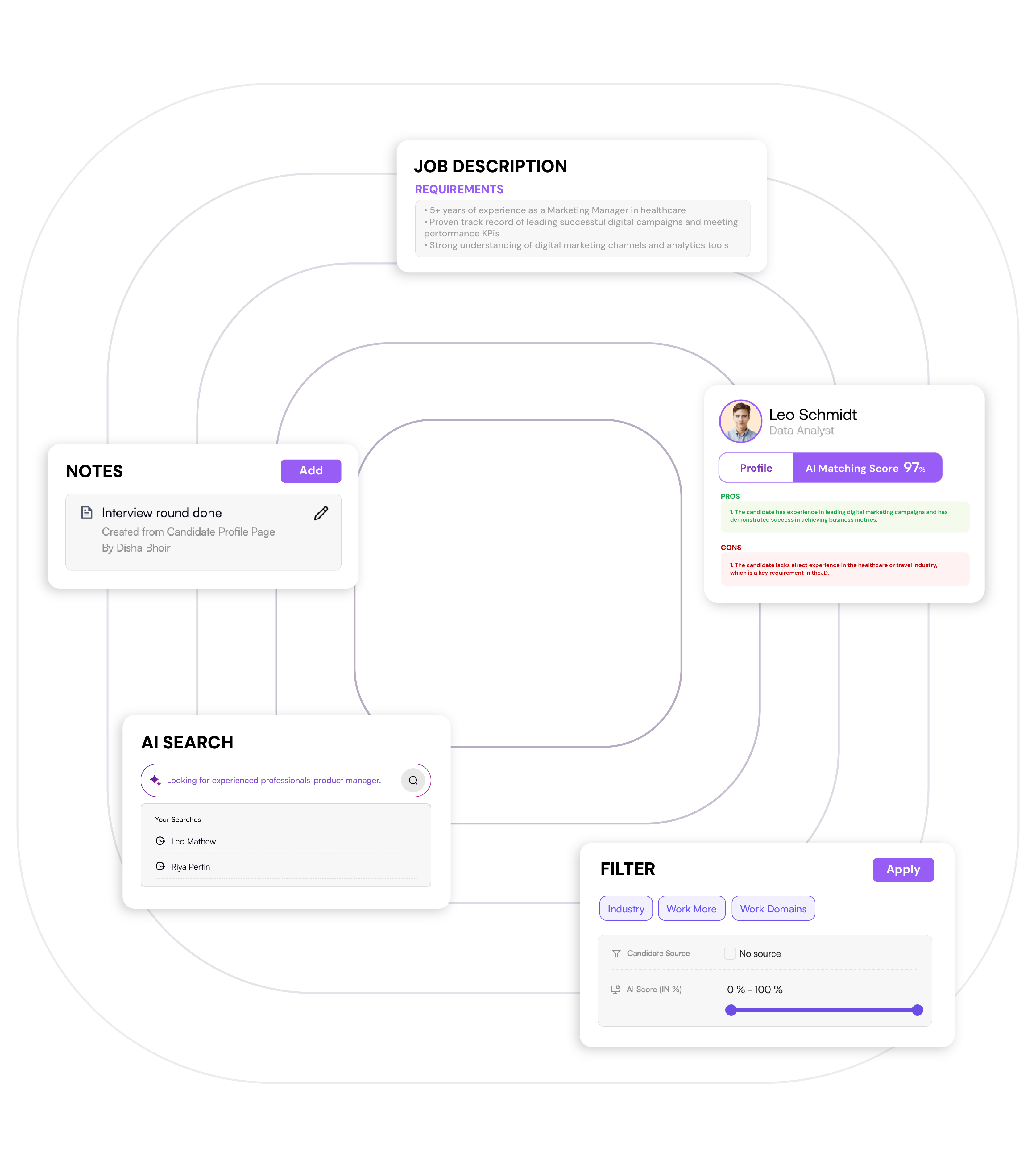
AI Match Scores (0-100) are attached to each candidate application.
Bullet points explaining why the candidate matches the JD.
"Skima Screened" Tag for quick filtering and pipeline organization.
Shortlist page for hiring managers (Approve/Skip + optional note).
Activity notes that capture manager feedback for your audit trail.
An auto-updated top 10 shortlist as new applications arrive to keep your team focused on the best candidates.
Why Workforce Recruiting Teams Pick Skima AI
Workforce users integrate Skima AI because it enhances their ATS with intelligent candidate screening and insights without forcing them to switch systems.

Stay in One System
All scores, reasoning, and manager feedback live on the candidate record—no context switching.

Faster Hourly Hiring
Resurface qualified candidates across new openings, reducing time-to-hire for high-volume roles.

Simplified Collaboration
Managers approve/skip candidates via the shortlist link; feedback writes back automatically to Workforce.

Real-Time Scoring
New applications score instantly via API polling, keeping rankings current.
What Skima AI Writes Back to Workforce ATS
| Writes back to | Field name | Type | Example |
|---|---|---|---|
| Activity Note | SKIMA Match Score | Number (0–100) | 86 |
| Activity Note | SKIMA Reasons | Text (3–5 bullets) | "3 yrs retail; POS proficiency; shift lead experience" |
| Activity Note | Shortlist Link | URL | https://…/shortlist/abc |
| Candidate Tag | SKIMA Screened | Tag | SKIMA Screened |
| Activity Note | HM Feedback | Enum | 👍 / 👎 / Maybe |
| Activity Note | HM Comment | Short text | "Ready for interview" |
Note: Skima AI analyzes new Workforce applications within 5-15 minutes, scores candidates, and logs results as activity notes. Manager feedback instantly updates records, creating a closed-loop system that continuously improves AI rankings.
How the Shortlist Loop Works?
Skima AI makes hiring collaboration inside Workforce ATS faster and easier by creating a seamless shortlist feedback loop.
Recruiter Shares Shortlist
A secure shortlist link is added to the candidate's Workforce record as an activity note.
Manager Gives Feedback
Managers review and respond with 👍, 👎, or "Maybe," adding optional notes directly on the shortlist page.
Skima AI Updates Workforce
Feedback syncs automatically as activity notes in Workforce, ensuring full transparency.
Recruiter Acts on Insights
Recruiters view an AI-ranked top 10 with manager input logged, streamlining confident hiring decisions.
The result is real-time collaboration, faster decision-making, and a transparent audit trail, which improves the hiring experience for both recruiters and managers.
Field Map for Workforce ATS Integration
A clear data flow map helps Workforce recruiting teams and IT admins understand exactly what Skima AI pulls in and pushes back
Skima AI securely retrieves the following data via REST API and polling to power AI-driven candidate scoring and rediscovery:
-
Application Data: ID, status, submission date, screening question responses, source, recruiter notes.
-
Candidate Data: Name, email(s), phone, location, LinkedIn URL.
-
Attachments: Resumes, cover letters, supporting documents.
-
Job Details: Title, description, qualifications, department, location, employment type, posting date.
-
Screening Questions: Custom questions and candidate answers (availability, shift preferences, experience, certifications).
-
Historical Data: Past applications for talent rediscovery.
After scoring and ranking, Skima AI writes structured results back into Workforce ATS using its native activity notes, tagging, and custom field capabilities:
-
Activity Note: Match score (0-100) with scoring rationale.
-
Activity Note: AI-generated reasons (skills match, experience alignment, qualifications).
-
Tag: "SKIMA Screened" for filtering and reporting.
-
Activity Note: Shortlist link for manager collaboration.
-
Activity Note: Manager feedback (👍/👎/Maybe) with optional comments.
-
(Optional) Custom Field: Numeric match score for dashboarding.
This bidirectional data sync ensures hiring managers always see real-time AI insights within Workforce's native activity flow, maintaining data integrity and audit readiness
Set up Your Workforce Integration
Workforce + Skima AI integration is fast, secure, and requires minimal IT effort.
Below are 5 easy steps to set up your Workforce AI integration:
Generate API credentials in Admin Settings → Integrations & API. Enable read:applications, read:candidates, write:notes, write:tags permissions.
Configure polling intervals (5–15 minute sync). Set up IP whitelisting if required.
Set up the "SKIMA Screened" tag and optional custom score field in Workforce.
Test on 2–3 pilot jobs: Submit applications → verify scores appear → share shortlist with managers → confirm feedback writes back.
Go live on 3–5 high-volume hourly roles. Collect weekly metrics and schedule day-15/day-30 checkpoints.
Security &
Responsible AI
for Workforce
Integrations
Trust and compliance are key when integrating Skima AI with Workforce ATS. Our method keeps candidate data secure. It ensures decisions are transparent and hiring managers maintain control. This all happens within Workforce's security framework and hourly hiring context
- Skima AI provides match scores & reasons using resume and application-based evidence, with no auto-rejects or automated stage changes.
- All HM decisions, notes, and shortlist actions are tracked in Workforce activity logs. Complete audit trail with timestamps ensures compliance and accountability for every hiring decision.
- Role-based visibility, secure shortlist links, and optional redaction mode ensure candidate data is accessed only by authorized users.
- Redaction features help remove names and identifiers during initial screening for bias reduction.
- Encryption in transit and at rest; Data Processing Addendum (DPA) available; SOC 2 compliance in progress; GDPR and CCPA ready for international teams.
Skima AI combines explainable AI with strict security practices, ensuring your Workforce integrations remain compliant, auditable, and fair while reducing unconscious bias in high-volume hiring.
Customer Snapshot: 30-Day Pilot with Workforce ATS
58%
Time-to-screen
2X
Interviews from top-10
+24 NPS
HM Satisfaction
Frequently Asked Questions
Everything you need to know about the Workforce integrations
Does Skima AI integrate with Workforce ATS?
Yes, Skima AI integrates via Workforce's REST API using secure polling every 5–15 minutes, scoring candidates automatically and writing results to activity notes, tags, and optional custom fields.
What fields does Skima AI write back?
It writes AI match scores (0–100), reasoning, "SKIMA Screened" tag, shortlist links, and manager feedback (👍/👎/Maybe) with comments—all captured as structured activity notes within Workforce ATS.
Is API access required for integration?
Yes, standard API read/write permissions are required for candidates, applications, notes, and tags. If API access is restricted, Skima AI support assists with setup and configuration adjustments.
Where do match scores appear in Workforce?
Match scores, reasoning, and feedback appear directly as activity notes on candidate application records in Workforce, maintaining visibility for hiring teams without requiring any user interface modifications.
Can hiring manager feedback remain inside Workforce?
Yes, all manager feedback, comments, and decisions are logged as activity notes within Workforce ATS, preserving full compliance, transparency, and collaboration history for audit and reporting purposes.
How often are match scores updated?
AI match scores are generated within 5–15 minutes of application arrival and refreshed continuously while the job posting remains active, ensuring up-to-date candidate rankings and shortlist accuracy.
Does Skima AI support Workforce's data model?
Yes, Skima AI aligns with Workforce's application-based model, supporting scenarios where a single candidate applies to multiple roles and needs distinct scoring for each separate application.
Can Skima AI automate stage movements?
No, stage changes remain recruiter-controlled. Skima AI provides ranked scores and tags for decision-making, but final stage transitions are handled manually by recruiters or hiring managers.
Does Skima AI support multiple locations in Workforce?
Yes, Skima AI supports multi-location setups. Shortlists can be shared with site-specific managers, and all feedback entries include timestamps and manager identifiers for accountability tracking.