















Bulk Hiring Workflow Actions
Delete jobs in bulk and relink candidates faster.
4 min read
- Delete multiple jobs at once to clean up your workspace faster.
- Link candidates to another job in bulk without moving them one by one.
- Re-screen linked candidates against the new job’s JD and AI Calibration for a more relevant shortlist.
- Save time on repetitive admin work while keeping job and candidate management inside the ATS workflow.
Manage Jobs Faster
Skima AI now lets recruiters handle two more common workflow tasks in bulk: deleting jobs and linking candidates to another job. This makes it easier to clean up outdated roles and move candidate groups into the right job without extra manual steps.
Bulk Delete Jobs
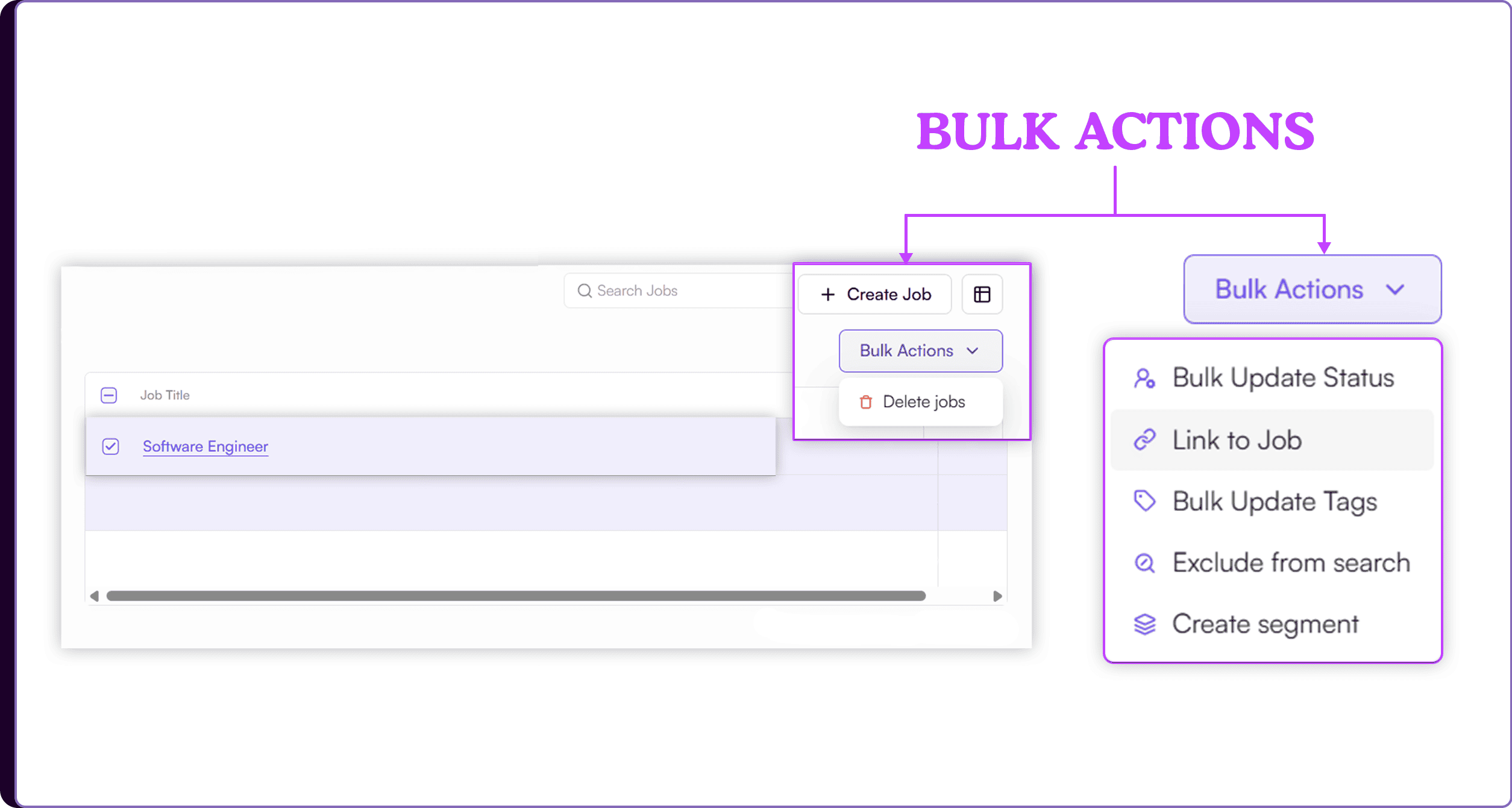
- Go to ‘Jobs’
- Select the jobs you want to delete by checking the boxes next to each job, or click on the checkbox in the header to Select All
- Once the jobs are selected, the 'Bulk Actions' button will appear
- Click 'Bulk Actions' and select 'Delete'
Bulk Link Candidates
- Go to 'Jobs' and open a particular job
- Select the candidates you want to link to another job by checking the boxes next to each candidate, or click on 'Select All'
- Once the candidates are selected, the 'Bulk Actions' button will appear
- Click on it and select 'Link to Job'
- Choose the job you want to link the candidates to and click on 'Link Job'
- Open the new job to review the linked candidates, who will now be screened based on that job’s JD and AI Calibration
Move Work in Bulk
Bulk delete helps recruiters remove unwanted or outdated jobs in one action instead of clearing them one by one. This keeps the job list cleaner and reduces time spent on routine admin work.
Bulk linking lets recruiters move selected candidates into another job and reprocess them against the new role requirements. Once linked, Skima AI screens them using the target job’s JD and AI Calibration, so the shortlist stays aligned with the new role.
Clean Up and Reassign Faster
This update gives teams a faster way to manage job clutter and reuse candidate pools across open roles. Instead of repeating the same actions for every record, recruiters can handle jobs and candidates in bulk with fewer clicks.
For high-volume hiring, that means cleaner workflows, less manual effort, and faster candidate movement into the right jobs for screening and review.