

















Candidate Tags Management
Tag candidates in bulk and filter by tags
6 min read
- Tag individual or multiple candidates instantly to create structured talent groups without opening every profile.
- Use bulk tag actions to organize high-volume pipelines faster for shortlist review, follow-ups, and manager handoff.
- Filter by tags across View Candidates and Kanban to quickly return to the right candidate clusters inside your ATS workflow.
- Turn tags into reusable pipeline controls for faster candidate retrieval and cleaner collaboration across hiring teams.
Organize Candidates Faster
Skima AI now makes candidate tagging much more powerful inside View Candidates. Recruiters can add tags to individual candidates, apply tags in bulk, and use those same tags as filters across both View Candidates and Kanban. This makes it easier to organize talent pools, group candidates by hiring context, and quickly return to the right profiles later.
Tag, Bulk Apply, and Filter
Add tags to individual candidates -
1. Go to https://app.skima.ai/jobs and open any job
2. Open the 'View Candidates' page
3. Click the three dots next to any candidate name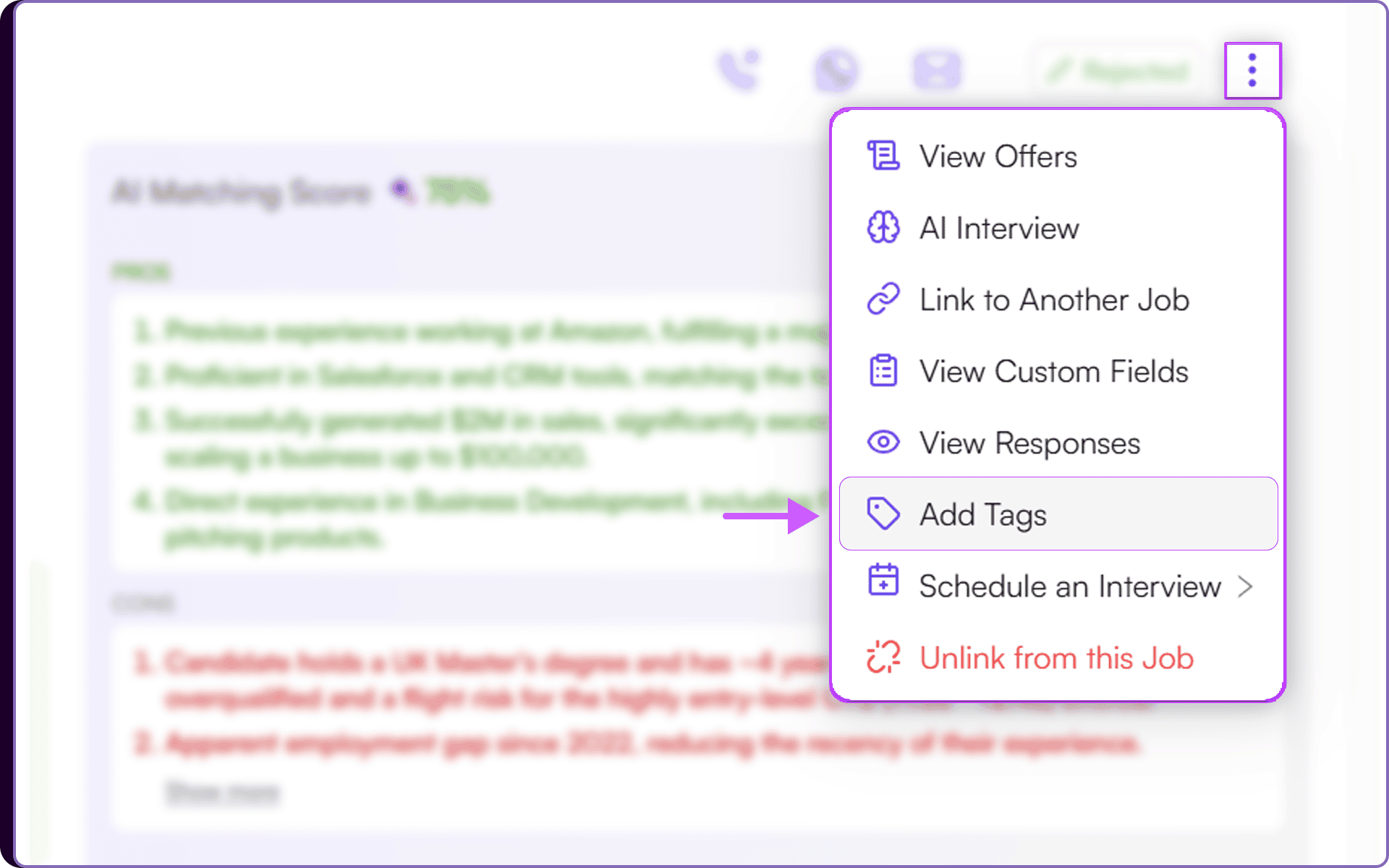 4. Select 'Add Tags'
5. Choose one or more existing tags from the dropdown, or type a new tag
6. Click on 'Save'
7. The selected tags will appear below the candidate’s 'Skills Evidence' on the left side.
Apply tags in bulk -
1. On the same 'View Candidates' page, click 'Select All', single select, or multi select candidates
2. Click on 'Bulk Actions' button that appear
3. Select 'Bulk Update Tags'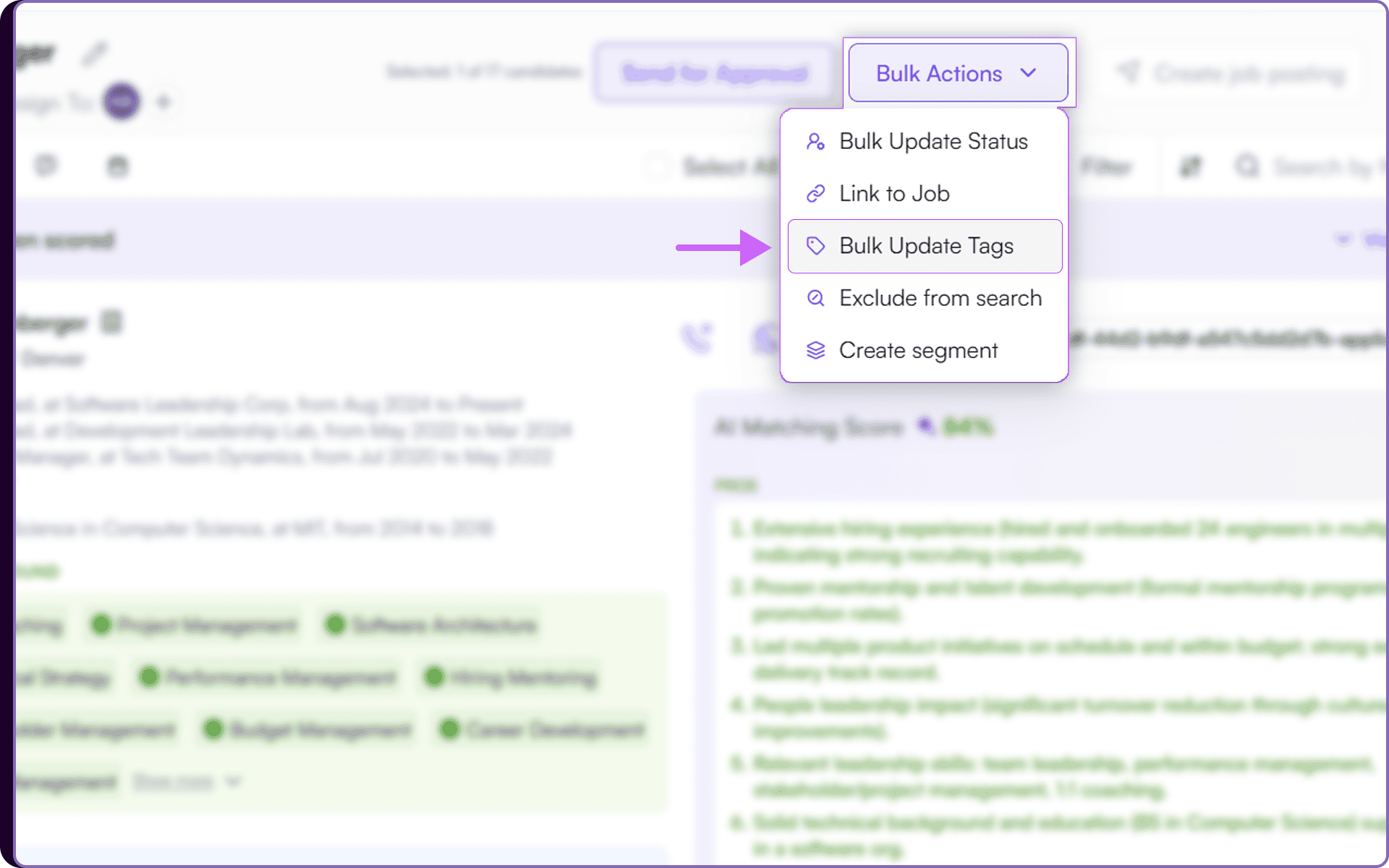 4. Choose existing tags or create a new one
5. Click 'Apply'
6. The tags will be added to all selected candidates.
Filter by tags -
1. In 'View Candidates' or 'View Kanban', click on 'Filter'
2. Open the Tags section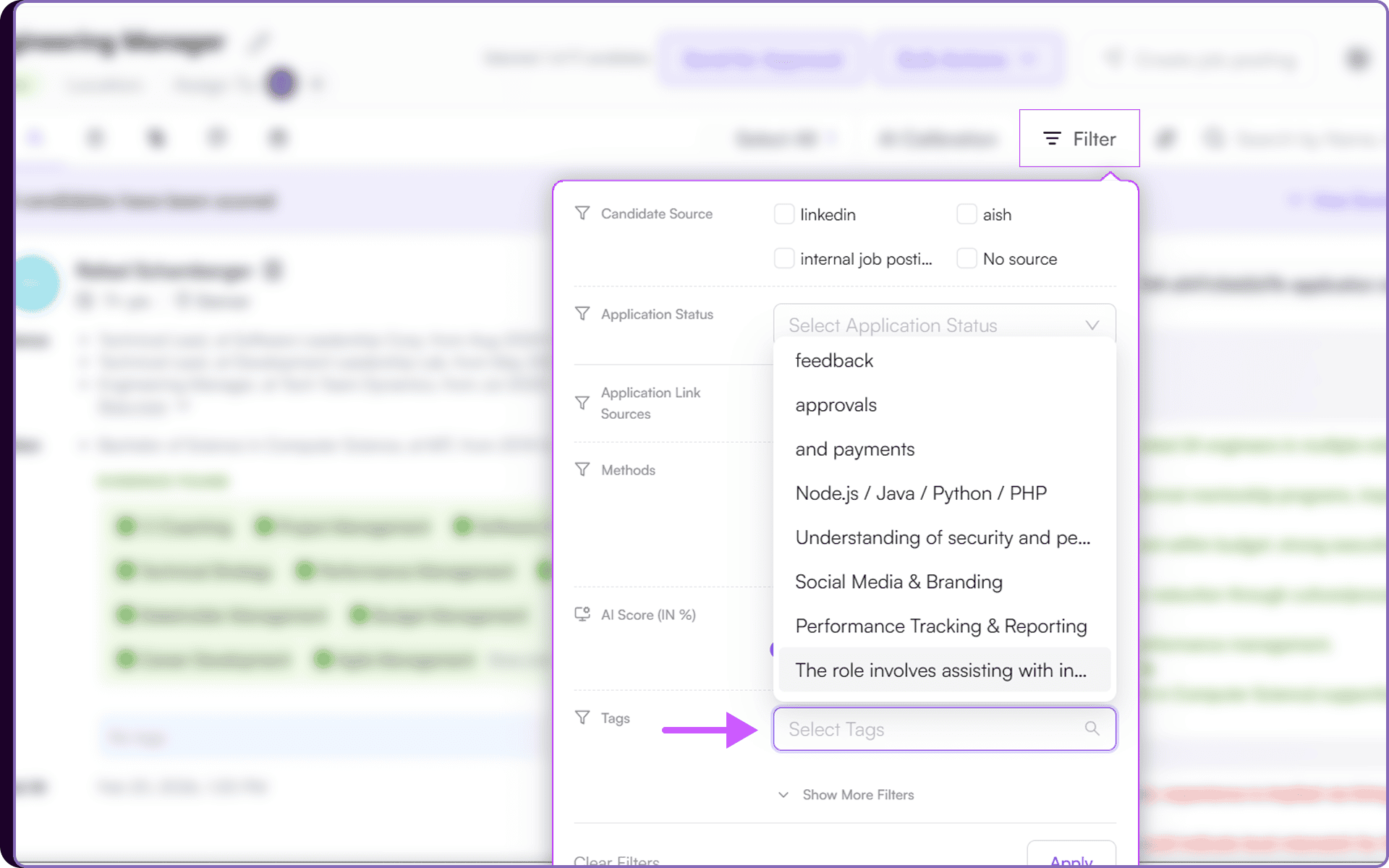 3. Select one or more tags
4. Click 'Apply'
5. Only candidates with the selected tags will remain visible
6. If no tags exist yet, the dropdown will show an empty state.
Create Reusable Candidate Groups
Tags now work as a connected layer across the candidate workflow inside Skima AI. A recruiter can tag one profile during review, apply the same tags to multiple selected candidates through bulk actions, and later use those tags as filters in both View Candidates and Kanban.
This makes it easy to create meaningful groups such as Top Shortlist, Manager Review, Follow Up Later, or role-specific skill buckets. Because the same tags stay usable across the full workflow, teams can move from organizing candidates to taking action without losing context.
Bring Structure to High-Volume Hiring
This turns tagging into a much more useful pipeline control system. Instead of repeatedly opening profiles or relying on memory, recruiters can instantly create structured groups that match the way their team hires. For high-volume roles, this means faster shortlisting, cleaner follow-ups, and much better control over candidate movement from screening to final review.