
















Exclude Candidate From Search: Bulk Actions
Remove unwanted profiles from future rediscovery searches.
4 min read
- Exclude candidates from future search results so already rejected or hired profiles do not keep resurfacing.
- Use bulk actions to remove multiple candidates at once from rediscovery and AI search workflows.
- Keep search results focused on fresh, relevant talent instead of re-reviewing profiles already.
- Control candidate visibility across jobs and search use cases with a cleaner existing database.
Clean Up Search Results
Skima AI now lets recruiters exclude candidates from search directly through Bulk Actions in the Candidates page. This helps teams remove profiles they no longer want to screen, such as rejected, hired, or otherwise completed candidates, so future rediscovery and AI search runs stay focused on the right talent pool.
Exclude Candidates in Bulk
- Go to https://app.skima.ai/candidates
- Click 'Filter' to select the candidate sources or batches you want to exclude, then click Apply
- Manually select candidates or use 'Select All' in the list
- Choose whether to select only this page or every candidate matching your current filters, then click 'Apply'
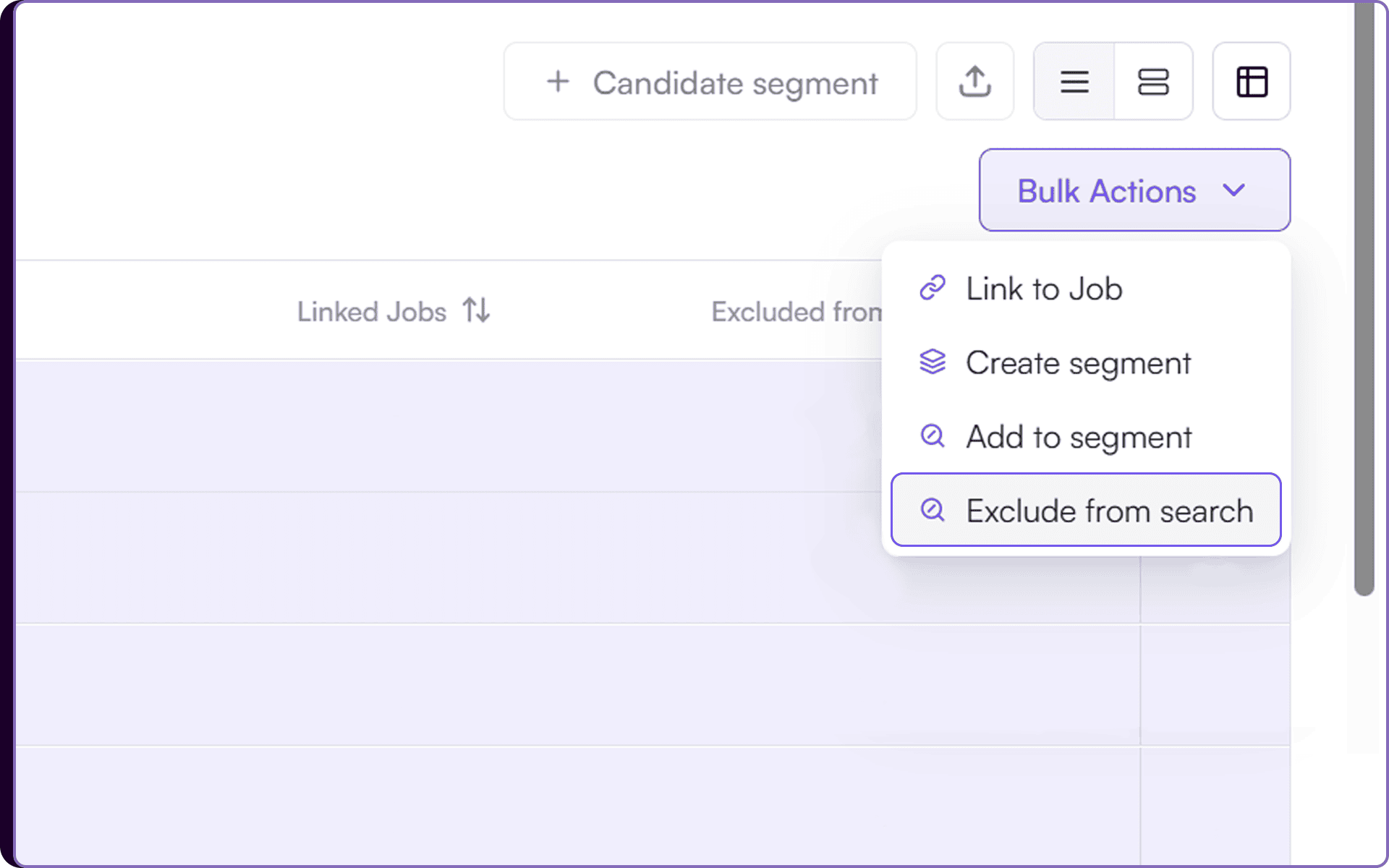
- Click 'Bulk Actions' and select 'Exclude from search' → 'Exclude'
- Go to 'Jobs', create a new job, and run 'Rediscovery'. The excluded candidates will not be screened for this particular job
- You can also run 'AI Search' for the same outcome
Three clicks on the arrows in “Exclude from search” custom field:
- First click on the arrows shows candidates currently included in search with an X mark, indicating they are still searchable.
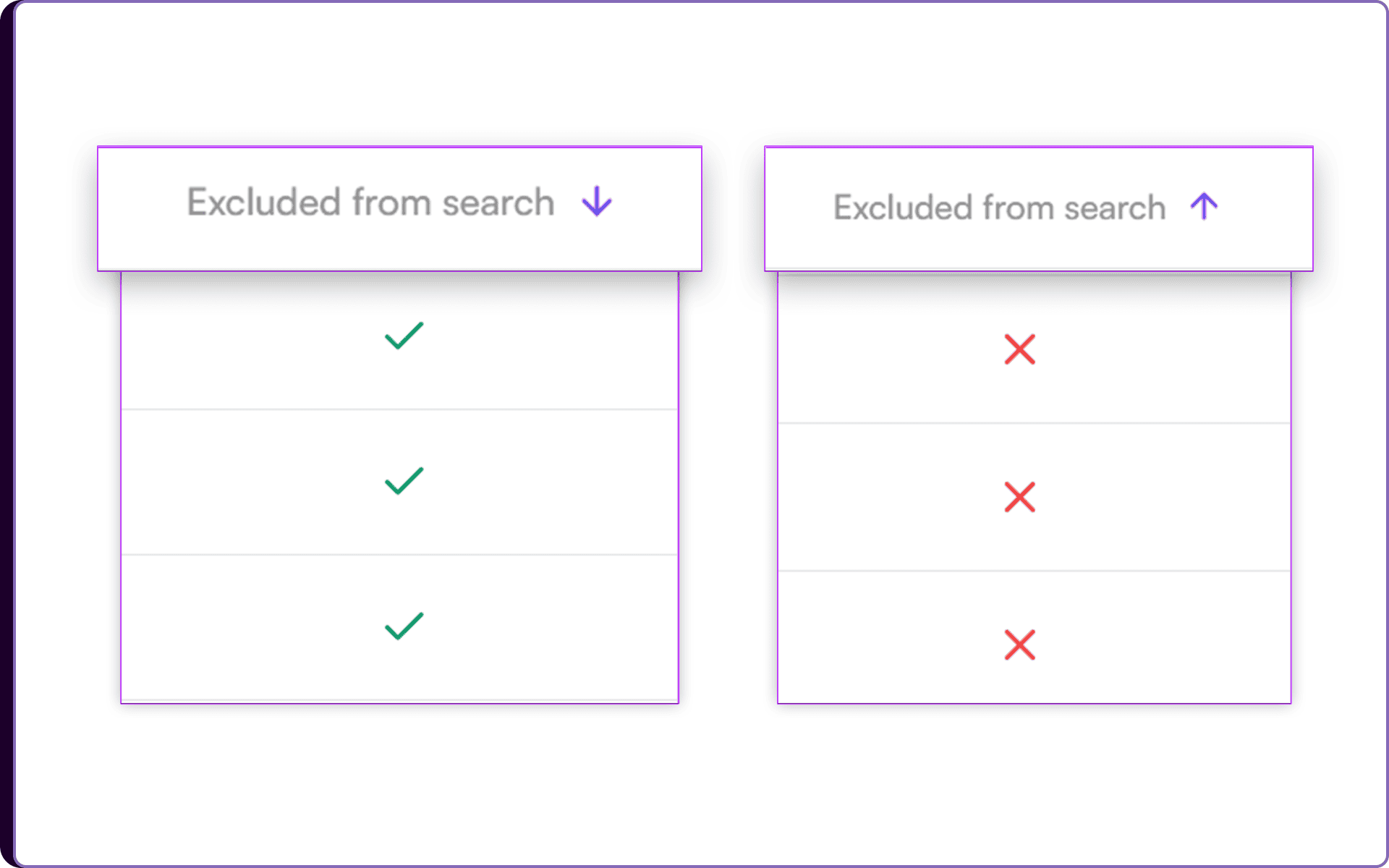
- Second click on the arrows shows excluded candidates with a ✓ mark, indicating they are removed from search results.
- Third click resets the sorting view back to default.
Control Rediscovery Visibility
Once candidates are excluded from search, Skima AI automatically prevents those profiles from appearing in future Rediscovery and AI Search results. This helps recruiters avoid repeatedly screening candidates who are already rejected, hired, inactive, or no longer relevant for future roles.
The excluded status stays attached to the candidate during search workflows, giving teams more control over how their existing database is reused. Recruiters can also quickly review included and excluded profiles using the arrow toggle inside the “Exclude from search” field view.
Reduce Repeat Screening
This update helps recruiters keep Rediscovery results cleaner and more relevant by removing profiles they no longer want surfaced during search. Instead of manually filtering out the same candidates every time, teams can maintain a more focused and reusable talent database.
For high-volume hiring teams, this means faster rediscovery workflows, less duplicate review effort, and better control over candidate visibility across future hiring searches.