















Show Invalid Applications: Filter
View invalid candidates across Jobs and Candidates, and filters
4 min read
- View invalid candidates directly inside Jobs and Candidates without leaving the workflow.
- Filter failed applications by stage, location, and other criteria to narrow down the exact records you need.
- Review screening failures with linked job context and reason tags like missing resume or failed qualification checks.
- Track invalid applications more efficiently to keep high-volume hiring pipelines cleaner and easier to manage.
Spot Invalid Candidates Faster
Skima AI now lets recruiters view invalid candidates directly inside Jobs and Candidates. This makes it easier to review failed applications, check why a candidate did not qualify, and filter the list further based on the exact criteria of candidates you need to review.
View Invalid Candidates in:
Jobs Section -
1. Go to 'Jobs' in the Skima AI app and open any job
2. If the job has invalid candidates, you will see 'Show invalid candidates' in the header
3. Check the box to view the list of invalid applications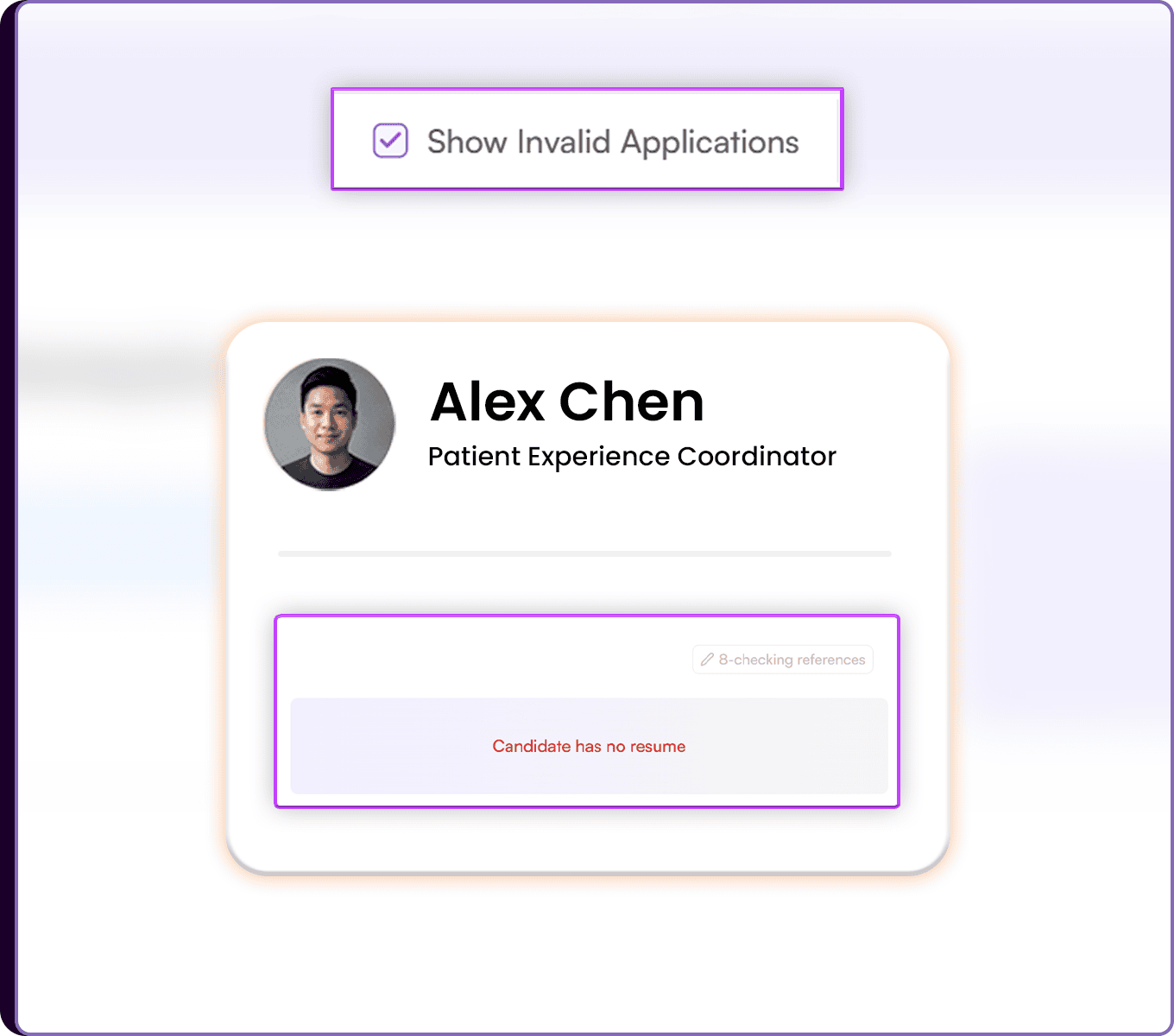 4. Optionally, click 'Filter' to narrow results by stage, location, and more
5. Click ‘Apply’ to enforce the filters.
Candidates Section -
1. Go to 'Candidates' in the Skima AI app
2. Click 'Filter' at the top
3. Open Invalid Candidates and check 'Show invalid candidates'
4. Click 'Apply' to view all invalid candidates
5. Open a linked candidate profile
6. Go to the 'Linked Jobs' tab → Click on the 'Job name' to directly reach inside the job → Check the 'Show invalid candidates' box to view the list of all invalid applications in that job.
Review Failed Applications in Context
Invalid candidates are surfaced wherever recruiters are already reviewing talent, so they can quickly identify failed applications without searching through the full pipeline. The filters make it possible to isolate only the records that did not pass screening, while still keeping job and candidate context visible.
When a recruiter opens a linked candidate profile, Skima AI shows the related job, current status, and the reason the candidate was marked invalid. This makes it easier to understand screening outcomes and act on them with less back and forth.
Keep Screening Clean
This update helps recruiters separate qualified and unqualified candidates more quickly across the ATS workflow. Instead of scanning the full list, teams can focus only on invalid applications when they need to audit, review, or clean up the pipeline.
For high-volume hiring, this means faster screening review, clearer failed application tracking, and better visibility into why certain candidates did not move forward.