















Skima AI Library
Find step-by-step interactive demos for every Skima AI feature in one searchable library inside the app
4 min read
- Access step-by-step interactive demos for every major Skima AI feature from a dedicated Library page inside the app.
- Search by keyword to find the exact demo you need, even if the feature appears as part of a broader tutorial.
- Browse demos organized into five categories: Analytics, Integration, Screening, Security, and Workflow.
- Request a tutorial for any feature or use case directly from the Library and we will make it available for you.
A Library for Every Use Case
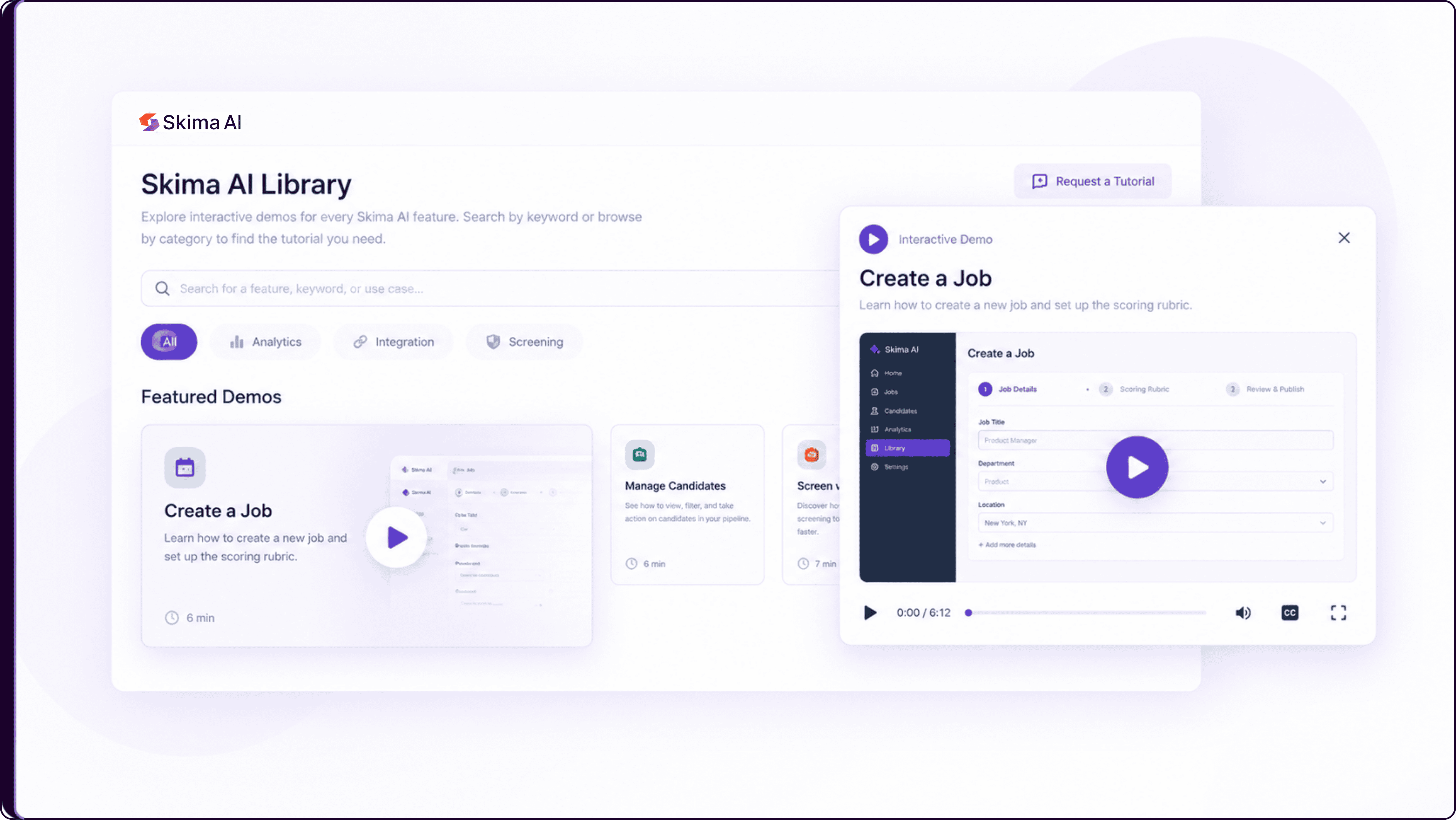
Skima AI now has a dedicated Library page where every recruiter, admin, and hiring team member can find interactive demos for the features they use every day. Instead of reaching out to support or digging through documentation, the Library gives you a self-serve way to get up to speed on any part of the platform in minutes.
Every demo walks you through a real use case step by step, so you are not just watching a feature being shown, you are following along with how it actually gets used in a hiring workflow.
On selective pages across the app, you will also notice a small play icon in the top right corner. Hover over it to see what the tutorial covers, and click it to launch the relevant demo right where you are working, without leaving the page.
How to Find It
- Click on 'Library' from the left sidebar inside the app.
- Use the search bar to find demos by keywords, or
- Browse by category: Analytics, Integration, Screening, Security, and Workflow.
- If you cannot find what you are looking for, click 'Request a Tutorial' in the top right of the Library page and tell us what you need. We will review your request and make the tutorial available for you as quickly as possible.
Find What You Need, Fast
The Library removes one of the most common friction points in adopting a new platform: not knowing where to look when you get stuck. With self-serve demos available for every major feature, contextual play icons available on key pages, and a direct line to request new tutorials, every team member can get the help they need without waiting on support or onboarding calls.
The search bar surfaces demos based on content, not just titles. So if a demo covers creating a job but also explains how the scoring rubric works, searching for "rubric" will still surface it. This makes the Library useful even when you are not sure which demo covers the specific thing you are trying to do.