















Vendor Upload: Streamline External Sourcing
Generate a shareable upload link for vendors and external recruiters to submit candidates directly into your hiring pipeline.
4 min read
- Generate a shareable vendor upload link for one or multiple jobs and send it to any external recruiter, agency, or contractual vendor.
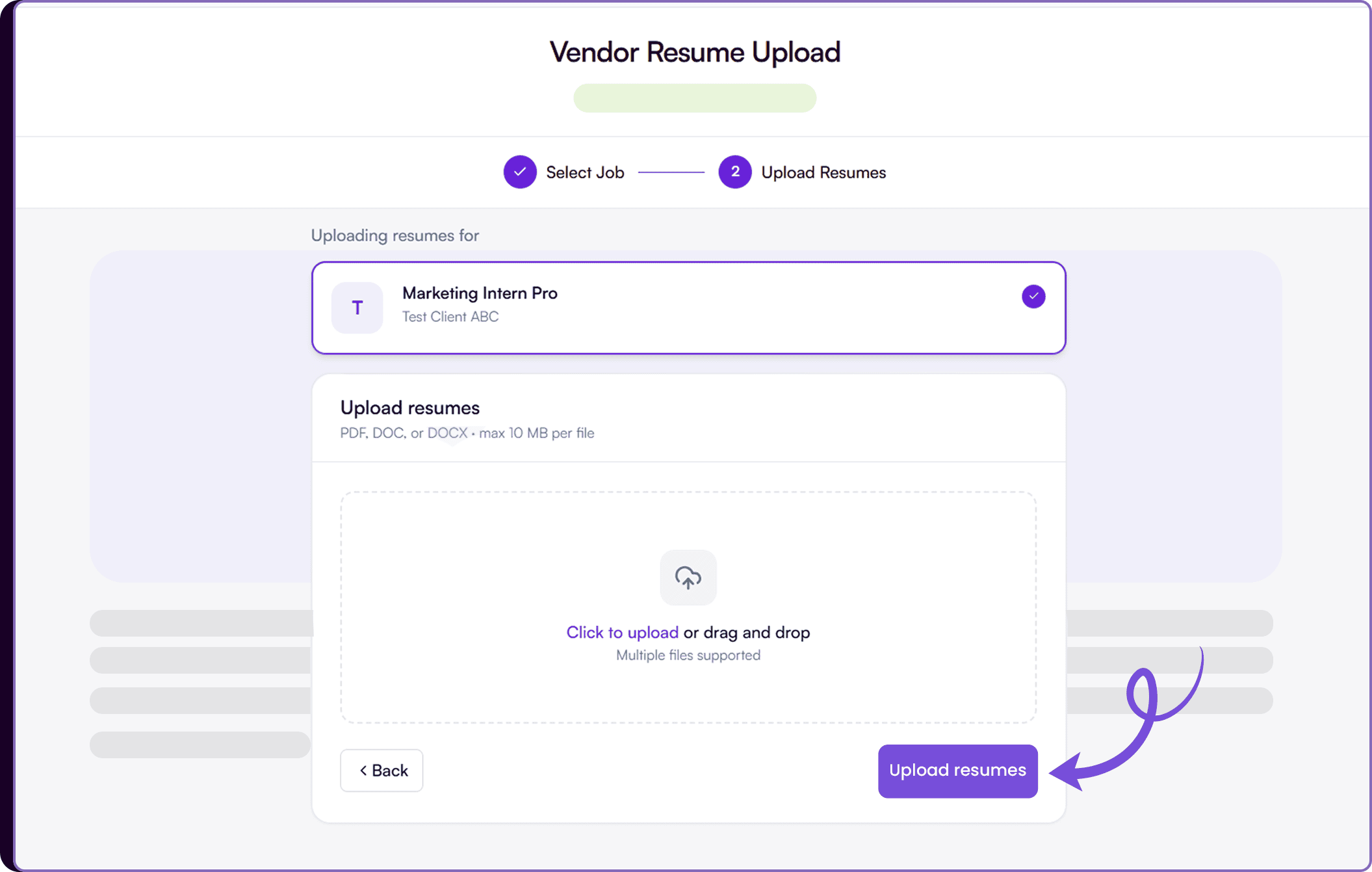
- Vendors access a simple two-step upload page without needing a Skima AI account, and submitted resumes are automatically scored against the job's JD and AI Calibration.
- Set an expiry date on the link to control how long vendors can submit candidates, with a default of 30 days.
- Track vendor submissions and individual candidate AI scores directly from the Inbox tab without leaving the workflow.
Let Vendors Submit Candidates Directly
Skima AI now lets recruiters generate a secure vendor upload link for one or multiple jobs and share it with external parties. Whether it is a staffing agency, a contractual sourcing vendor, or a fellow recruiter, anyone with the link and a verified email can access a dedicated upload page, select the relevant job, and submit resumes directly into Skima AI. Uploaded candidates are automatically parsed and scored against the job's JD and AI Calibration, so they appear in the pipeline ready for review alongside internally sourced candidates.
Generate a Vendor Upload Link
- Go to 'Jobs'
- Select one or more jobs using the checkboxes
- Click on 'Vendor Upload' from the bulk actions bar at the bottom
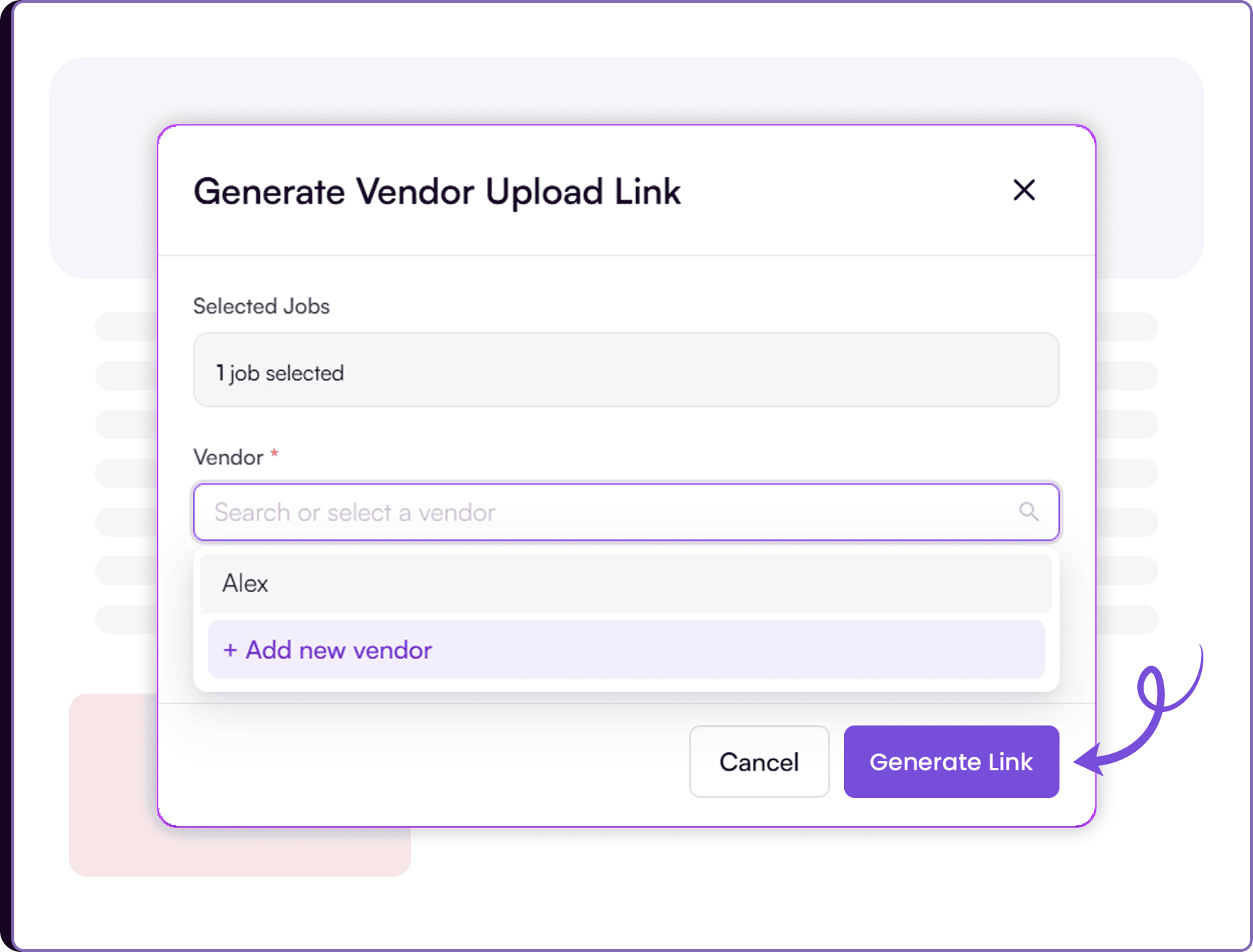
- In the 'Generate Vendor Upload Link' modal, search for an existing vendor or click on 'Add new vendor' to add a name and contact email
- Optionally set an expiry date for the link. It defaults to 30 days if left blank
- Click on 'Generate Link'
- Copy the generated link and share it with the vendor directly
Vendor Upload Experience
- The vendor opens the shared link and verifies their email
- They select the job they are uploading resumes for
- They upload one or multiple resume files in PDF, DOC, or DOCX format
- Once submitted, resumes are processed automatically in the background
Track Vendor Submissions
- Go to Inbox from the left sidebar
- Open the relevant vendor upload entry
- View vendor name, linked jobs, total resumes uploaded, expiry date, and the shareable link
- Under Resumes Uploaded, see each candidate submitted by the vendor alongside their AI score and upload date
A Controlled Pipeline for External Sourcing
Once a vendor upload link is generated, it is tied to the specific jobs selected and the vendor's email. The vendor does not need a Skima AI account to access the page. After verifying their email, they can select the job, upload resumes, and submit. Skima AI automatically parses and scores each uploaded resume against the target job's JD and AI Calibration, so candidates are ready for recruiter review without any manual processing.
Recruiters can generate multiple links for different vendors across different jobs and track each submission independently from the Inbox. The expiry date keeps access controlled, and the resume count and AI scores visible in the Inbox give recruiters a clear picture of what each vendor has delivered before opening individual profiles.
Bring External Sourcing Into the ATS Workflow
Vendor sourcing has traditionally lived outside the ATS, with resumes arriving over email or shared drives and requiring manual uploads and tracking. This update brings that entire workflow inside Skima AI. Recruiters can now manage vendor submissions, track delivery, and review scored candidates from the same place they handle all other hiring activity.
For teams working with multiple external sources across high-volume roles, this means faster vendor onboarding, cleaner candidate pipelines, and full visibility into what each external partner has contributed to the hiring process.