












Workflows
Automate your entire hiring pipeline from scoring to rejection to hiring manager review with trigger-based workflows that run without manual input
5 min read
- Build workflows using the AI prompt builder, choose from five pre-built templates, or start from a visual canvas with full manual control.
- Automate the full candidate journey from scoring to rejection, AI interview, hiring manager review, and pipeline movement without manual input.
- Start from five pre-built templates for the most common recruitment workflows or build from scratch using a visual flow canvas.
- Track every workflow run with execution metrics, step-level candidate lists, and version history from a dedicated flows dashboard.
Automate the Hiring Work That Never Stops
Skima AI now includes a fully built Workflows engine. Every workflow starts from a trigger and runs a chain of steps in response automatically every time that event occurs.
The fastest way to build is the AI builder. Describe your hiring workflow in a simple English prompt and Skima AI configures the triggers, conditions, and actions automatically. You can also start from five pre-built templates or build from scratch on a visual canvas.
What You Can Automate
Workflows cover the full candidate journey across four action types:
- Checks and decisions - score thresholds, condition branching, reply intent detection
- Communications - candidate emails, recruiter notifications, AI interview links, hiring manager approval requests, campaign enrollment, Slack notifications
- Record updates - status changes, pipeline stage moves, ATS pushbacks, custom field updates, task creation
- Enrichment and discovery - contact reveal, rediscovery, AI interview creation, job matching
Triggers include candidate scored, candidate applied, resume parsing failed, webhook received, job published, application status changed, hiring manager approval completed, and more.
- Click ‘Workflows’ from the left sidebar to open the flows dashboard
- Click ‘+ New Flow’ and choose between the AI builder, a pre-built template, or starting from scratch on the visual canvas
- Configure your trigger, conditions, and actions, then click ‘Publish’ to make the flow live
- Track execution health, step-level outcomes, and version history from the flow detail view
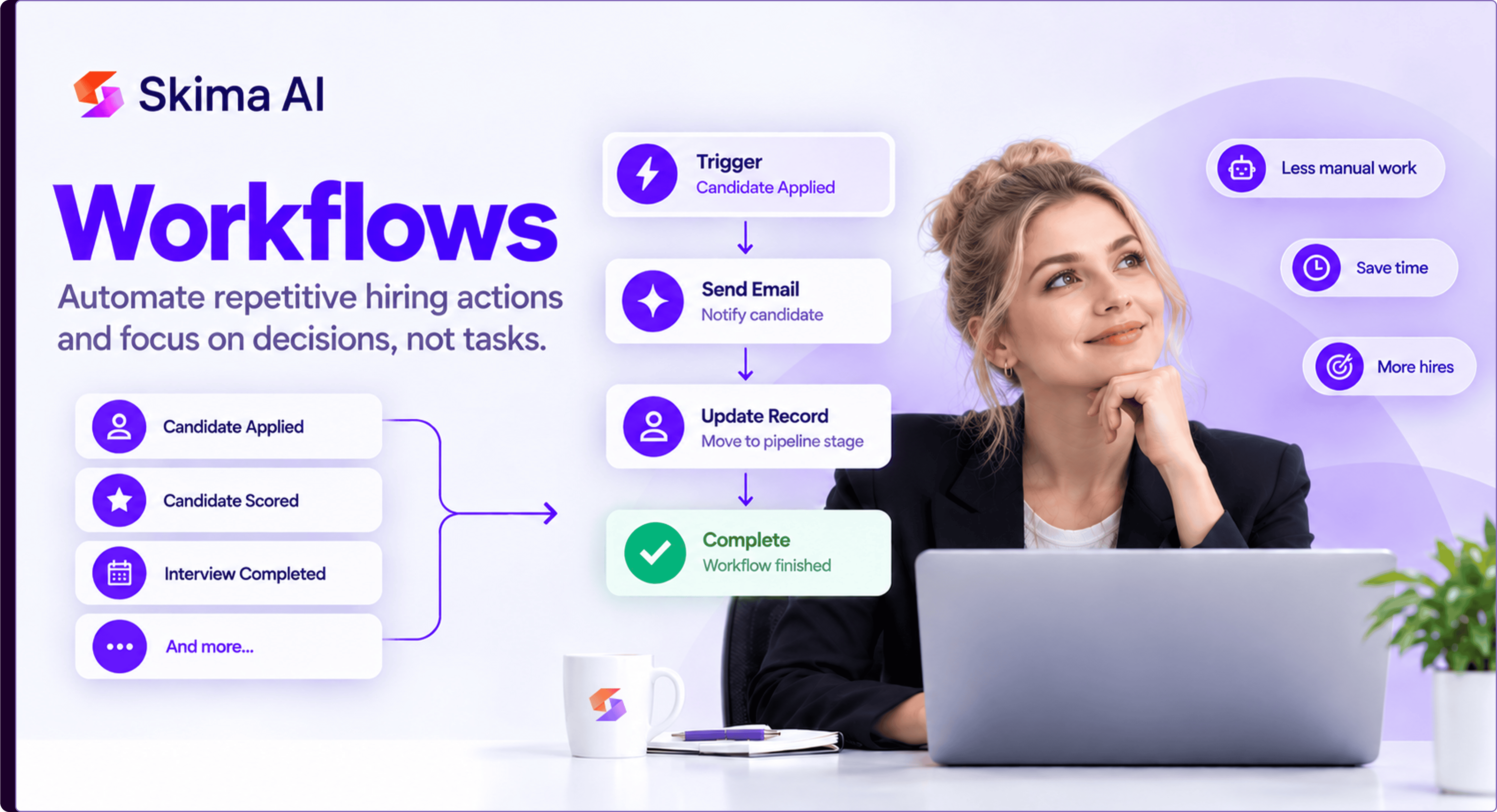
For a detailed walkthrough of every trigger, action, and configuration option, refer to the Workflows documentation.
One Flow, Every Step Handled
Each workflow passes context from one step to the next, so conditions can reference scores, interview outcomes, approval decisions, and ATS data without any manual handoff. A flow can be as simple as a score threshold and a status change, or as complete as a full candidate funnel from first application to hiring manager sign-off.
Live flows cannot be edited directly. Pause a flow to unlock it for changes while in-progress runs complete, or clone it to test a new version without affecting the live one. Every edit and republish creates a new version so run history stays clean and traceable.
Your Pipeline Runs. Your Team Decides.
The work that eats recruiter time is not reviewing candidates. It is the hours spent on status updates, rejection emails, and chasing hiring manager responses. Workflows handle all of it automatically so recruiters spend their time on decisions, not tasks. For high-volume teams, this means faster candidate responses, pipelines that move on their own, and hiring managers who receive structured shortlists without manual coordination at every step.