





















Darwinbox is a human capital management platform that unifies core HR, payroll, recruitment, performance, and workforce planning for enterprises, with AI built into the platform through Darwinbox Sense and the newly launched Cortex agent platform.
- Primary Features: Core HR and employee database, payroll, workforce planning and budgeting, applicant tracking and recruitment, onboarding, time and attendance, performance management, people analytics, and Darwinbox Sense AI with Super Agent and Cortex.
- Starting Price: Quote-based, with third-party estimates landing around $3 to $5 per employee/month depending on headcount, plus implementation costs of $5,000 to $50,000 depending on deployment complexity.
- Best For: Enterprises with 500 or more employees, especially multi-country operations in Asia-Pacific, the Middle East, and beyond, that want core HR, payroll, and workforce planning unified on one platform.
- Not Ideal For: Small or mid-sized companies wanting transparent pricing, fast setup, or a lean feature set without paying for modules they won't use.
- Integration: Recruitment teams integrate Skima AI with Darwinbox to screen applicants, rediscover past talent who fit new openings, and score every match with clear, explainable reasoning, all without replacing Darwinbox.
Darwinbox has established itself as an HCM platform competing with SAP and Oracle, with a focus on simpler configuration. Over the past year, it has transformed this foundation into an AI narrative featuring three components: Sense as the assistant, Super Agent for cross-system tasks, and Cortex, a newly built AI-native platform in early access with selected partners.
I evaluated the core HR, payroll, and recruitment modules, analyzing Sense and Super Agent's functionalities alongside verified user feedback. My review highlights where each module excels and where it has limitations. Let's explore further.
What Is Darwinbox?
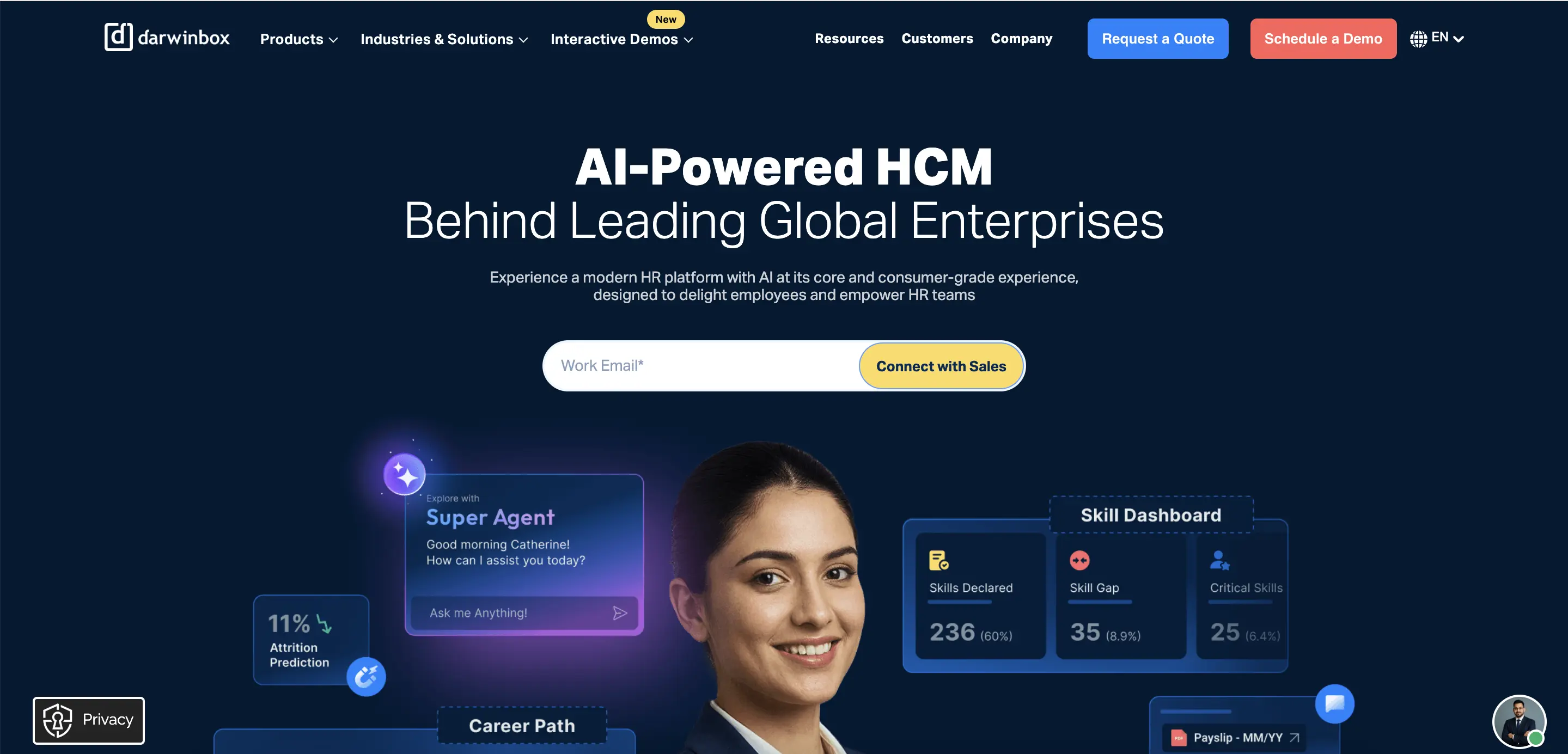
Darwinbox is a cloud-based human capital management platform. It brings together core HR, payroll, recruitment, performance, and workforce planning for enterprise organizations.
The platform also includes AI capabilities built directly into it. Co-founders Chaitanya Peddi and Jayant Paleti transitioned to a co-CEO structure in July 2026. This change supports the company's global expansion and AI roadmap.
Darwinbox Features Review
Eight modules make up the Darwinbox suite, covering everything from core HR to workforce planning. Sense and its agent capabilities are integrated into each module rather than being sold separately. I tested each feature to determine which ones justify their inclusion in an enterprise contract and which ones do not:
Core HR & Employee Database
Employee records, org charts, document management, and role-based permissions all connect to one central profile that every other module accesses. I updated a test employee's department in the core HR module, and the change was reflected in payroll and workforce planning without a separate sync step.
Custom fields and configurable workflows allow admins to tailor the platform to specific organizational structures. This is important for enterprises with matrixed reporting lines across countries.
I tested a multi-level approval workflow, and setting it up took significant time upfront. It required more learning during the initial rollout than a quick default setup would suggest.
Payroll
Salary calculations, statutory tax deductions, reimbursements, and payslip generation all run through the payroll engine, which includes automatic compliance updates for the countries where a company operates. I traced a mock pay cycle across two different statutory regions, and the tax handling adjusted automatically without needing manual rule entry.
Payroll pulls directly from attendance and leave data. Hours worked and approved time off from elsewhere in the platform feed straight into the pay calculation.
According to independent adoption data, this module is the one Indian enterprise customers report using most heavily and successfully, ahead of all other modules in the suite.
Workforce Planning & Budgeting
Workforce planning connects headcount data, compensation bands, and organizational structure. This allows HR and finance to model hiring plans against the budget in the same system, rather than reconciling separate spreadsheets.
I built a mock headcount plan for a hypothetical department expansion, and the tool flagged the budget impact before I finalized it.
Scenario modeling lets planners compare multiple hiring or restructuring paths side by side. This module works well for enterprises that already have clean compensation data to feed it. Companies migrating from spreadsheet-based planning should expect to invest time upfront to structure historical data correctly before the modeling can deliver reliable output.
Applicant Tracking & Recruitment
The recruitment module covers job requisitions, candidate pipelines, interview scheduling, and offer letters. It also includes career site branding and background verification vendor integrations. I posted a test requisition and moved a candidate through several pipeline stages, and the workflow remained consistent with the rest of the platform's interface.
Darwinbox's recruitment module tracks and organizes candidates effectively, but I found no dedicated scoring or ranking system like those offered by purpose-built ATS systems. Applications are sorted by stage and status rather than evaluated against job criteria automatically. This means a recruiter still needs to review each resume manually to assess fit.
Onboarding
New hires complete digital documentation, e-signatures, and induction programs through a branded self-service portal before their start date. I walked through a mock onboarding flow, and task assignments automatically notified the right people when equipment or system access needed setup.
Training content is integrated into the onboarding sequence. This means a new hire's first days combine paperwork with actual job-readiness content, rather than treating them as separate steps. Configuring a fully custom onboarding journey for a specific role or region requires considerable admin time the first time through.
Time & Attendance
Employees can clock in using facial recognition, geofencing, or a mobile app. This is important for field and deskless workers who don’t have fixed desk access. I tested the mobile clock-in, and the geolocation check completed within seconds, flagging attempts outside the approved radius.
Shift scheduling and rostering tools allow managers to build and adjust team schedules directly from the mobile app. Attendance data flows into payroll automatically. This module is often the reason field-heavy industries choose Darwinbox over desk-oriented HCM competitors, as facial recognition and geofencing aren't standard in every platform of this size.
Performance Management
Goal setting, continuous feedback, and structured review cycles all connect to the same employee record created during onboarding. I set up a mock quarterly review cycle, and the calibration view allowed me to compare ratings across a team before finalizing scores.
Succession planning is linked to completed performance data. This enables a manager to identify internal candidates for a role based on documented history rather than memory. Getting calibration rules exactly right for complex organizational structures required back-and-forth with configuration support when I set up a multi-team scenario.
Darwinbox Sense, Super Agent & Cortex
Darwinbox Sense is the platform's AI assistant. It handles natural-language queries, predictive analytics, and a voice-first bot that Darwinbox claims resolves over 80% of employee queries without human intervention.
I asked Sense a plain-language question about a mock employee's leave balance, and it returned an accurate answer instantly, without navigating menus.
Super Agent, launched in September 2025, goes further by executing multi-step tasks across HR, IT, and Finance. It coordinates a shift swap and access request in one interface instead of routing through separate tickets. It operates on an MCP server that Darwinbox describes as the first of its kind in HCM, exposing over 20 HR functions to compatible AI tools.
Cortex, announced in August 2026, is a complete AI-native rebuild of the platform still in early access with a small group of design partners. Since it launched recently, broader customer results aren't available yet. General availability is expected to roll out throughout the rest of 2026.
People Analytics & Reporting
More than 50 pre-built reports and dashboards cover headcount, attrition, compensation, and diversity metrics out of the box. There are also drag-and-drop tools for building custom views. I created a custom attrition report filtered by department and tenure, and the process took a few more steps than expected for a platform this mature.
Predictive analytics flag attrition risk before it appears in exit interviews, pulling from engagement, performance, and tenure data together. The reporting interface is powerful but not especially intuitive, and custom report building takes time to learn effectively.
Darwinbox Pricing Review: Is It Worth the Investment?
Darwinbox does not publish pricing. Quotes are built around employee count, selected modules, and implementation scope, with tiers generally structured around organizations under 500 employees, 500 to 2,500, 2,500 to 10,000, and 10,000-plus.
The bigger cost risk isn't the per-seat rate. It's module sprawl. Independent Indian enterprise data shows most customers actively use only four modules in production, Core HR, Payroll, Time Office, and Workforce, while additional modules like Talent, LMS, Engagement, and advanced AI features get purchased at onboarding but see single-digit adoption within 18 months. A company buying the full module bundle upfront often pays for depth it never activates, so scoping the initial contract to modules with a clear rollout plan matters more than negotiating the headline rate.
Darwinbox Security, Compliance & Enterprise Readiness
Darwinbox holds SOC 2 Type II certification and is ISO 27001 audited and certified, covering information security management across its data infrastructure. ISO 22301 certification adds a formalized business continuity plan, relevant for enterprises managing payroll and compliance functions that can't tolerate extended downtime.
Data handling practices align with GDPR requirements for organizations processing EU employee data, and the platform supports region-specific compliance workflows across the 130-plus countries where Darwinbox operates. For enterprises with strict procurement security requirements, this is a well-documented compliance posture backed by recognized third-party certifications rather than self-reported claims alone.
Darwinbox Pros & Cons
Strengths of Darwinbox
Based on my evaluation and verified user reviews, here are the standout pros of Darwinbox:
- Configurability for Complex Enterprises: Teams managing matrixed org structures and multi-country compliance describe Darwinbox's flexibility as a clear advantage over rigid legacy HCM suites.
- Mobile-First Experience Drives Field Adoption: The mobile app draws consistent praise for being intuitive enough that deskless and field employees pick it up without extensive training, a meaningful factor for distributed workforces.
- Facial Recognition and Geofencing Stand Out: Field-heavy agencies name attendance tracking without physical biometric devices as a specific reason they chose Darwinbox over competitors.
- Customer Support During Implementation: Hands-on support during rollout stands out in customer feedback, with dedicated account teams credited for smoothing a complex initial configuration.
- Fast-Moving AI Investment: The pace of 2026 releases, the co-CEO restructuring aimed at AI execution, Super Agent, and the Cortex early-access launch all point to Darwinbox investing seriously in AI rather than adding branding to existing features.
Limitations of Darwinbox
Despite these strengths, the same users reported several cons of Darwinbox that you should be aware of:
- Module Sprawl Inflates Total Cost: Many enterprises buy more modules than they actually use. Usage data shows that several modules see minimal adoption within 18 months of purchase.
- Custom Reporting Has a Learning Curve: Cross-functional reports that combine data from multiple modules need more configuration steps than standard dashboards. Admins often describe the learning curve as steeper than expected.
- Mobile App Performance Lags at Times: User feedback frequently mentions occasional slowness and bugs in the mobile app, especially compared to the more stable desktop experience.
- No Native Candidate Screening in the ATS: The recruitment module tracks applicants through the pipeline but does not screen, rank, or score them against job requirements. This evaluation is left entirely to manual recruiter review.
- No Systematic Rediscovery of Past Candidates: Once a requisition closes, candidate data does not automatically resurface when a similar role opens later.
- Implementation Takes Significant Time: Configuring workflows, approval chains, and calibration rules for complex organizational structures requires substantial setup effort. Ongoing admin support for changes is a common request afterward.
How Integrating Skima AI Can Handle Darwinbox's Limitations
Darwinbox's recruitment module manages candidates through the hiring pipeline without scoring or ranking them against job requirements. Consequently, recruiters manually review each application, regardless of volume.
When a requisition closes, past applicants are not re-sourced for similar roles, and there's no built-in check for language in a job description that could pose legal or compliance risks. To address these issues, hiring teams often integrate Skima AI with Darwinbox without replacing the existing recruitment workflow.
- Job Description Compliance Check: Before a role goes live, Skima AI reviews the job description for language that could bring legal, bias, or compliance risks. It flags issues before they affect the candidate pool.
- AI Candidate Screening: As candidates apply for a role synced from Darwinbox, Skima AI evaluates each resume against the job's actual requirements. It automatically ranks the pool, allowing a recruiter to review a prioritized shortlist instead of reviewing every application by hand.
- Talent Rediscovery for Past Candidates: Skima AI scans a company's existing Darwinbox candidate database for individuals who applied or were screened before but were never hired. It surfaces qualified matches for a new opening without requiring a recruiter to start from scratch.
- Candidate De-Duplication and Enrichment: Skima AI automatically merges duplicate candidate records matched by email, phone, LinkedIn URL, or a combination of name, location, and company. It fills in missing profile fields from context, keeping a company's Darwinbox database clean rather than allowing multiple entries for the same candidate to accumulate.
- Explainable Match Scoring Behind All Three: Every candidate (new, rediscovered, or de-duplicated) receives a score with specific reason bullets covering skills, experience, and certifications. This approach provides transparency, allowing a recruiter to see exactly why a candidate ranked where they did.
Who Is Darwinbox Best For?
Darwinbox is best for enterprises with 500+ employees, especially those across Asia-Pacific and the Middle East needing unified HR, payroll, and workforce planning.
It's ideal for multi-country organisations requiring specific compliance, complex structures that need flexible solutions, and significant field or deskless workforces benefiting from facial recognition and geofencing. Additionally, it offers configuration flexibility compared to SAP, Oracle, or Workday, requiring adequate resources for proper implementation.
Who Should Avoid Darwinbox?
Avoid Darwinbox if you’re a small or mid-sized company with under 500 employees, as the platform may be overly complex for your needs. Additionally, if you prefer transparent pricing, lack time for implementation, require AI candidate scoring, or will purchase unused modules, consider other options.
Final Verdict: Should You Buy Darwinbox?
Yes, if you're an enterprise with complex, multi-country HR needs, and you want core HR, payroll, and workforce planning unified on one configurable platform, you should assess which modules to purchase instead of buying the full bundle upfront.
However, consider alternatives if you're a smaller company that doesn't need this level of depth, or if transparent pricing is more important to your procurement process than configurability. For multi-country enterprises ready to invest in proper implementation, Darwinbox remains one of the strongest configurable alternatives to SAP and Oracle.
Frequently Asked Questions
1. What is Darwinbox?
Darwinbox is a cloud-native Human Capital Management (HCM) platform offering HR core, recruitment ATS, payroll, time & attendance, performance, and people analytics. This platform is designed for enterprises that need global payroll, localisation, and a mobile-first employee experience.
2. Is Darwinbox legit?
Yes, Darwinbox is a legitimate, enterprise-focused HCM vendor used by multinational companies. Verified reviews consistently report strong adoption, payroll capability, and high user satisfaction across regions.
3. How much does Darwinbox cost?
Darwinbox uses quote-based, custom pricing rather than public per-user tiers; costs depend on modules, employee count, localization, and implementation scope.
4. How long does Darwinbox implementation take?
Implementation depends on the scope. Simple module rollouts can finish in weeks. However, large global deployments usually take several months. This is due to configuration, payroll localisation, testing, and change management. So, expect vendor-led timelines.
5. Can Darwinbox integrate with Skima AI?
Yes, Skima AI provides a Darwinbox integration that surfaces candidate match scores, human-readable reasons, and prioritized shortlists directly inside Darwinbox. This helps recruiters sort candidates faster while keeping the ATS in place.
6. What benefits does Skima AI add to Darwinbox recruitment?
Skima AI enhances Darwinbox recruitment by automating candidate triage, providing transparent match explanations, improving outreach effectiveness, reducing screening time, and improving shortlist quality for recruiters, hiring managers, and TA leaders.


