























Paycom is an HCM platform built entirely on one database, where payroll, HR, time, talent, and recruiting all pull from the same employee record instead of syncing across separate systems.
- Primary Features: Core HR and employee database, applicant tracking, payroll and tax compliance, Beti employee-driven payroll, onboarding and offboarding, time and labor management, position management, benefits administration, performance management, learning management, IWant AI engine, Direct Data Exchange reporting, and expense management.
- Starting Price: Quote-based, typically $25 to $36 per employee/month for the full HCM suite, or $12 to $18 for payroll-only configurations, plus a one-time implementation fee of 15 to 35% of the first-year cost.
- Best For: Mid-market U.S. companies between 50 and 2,000 employees that want payroll, HR, time, and talent management on one database without stitching together separate vendors.
- Not Ideal For: Companies that need modern AI-driven candidate screening, teams that want an open, self-serve integration marketplace, or organizations that need transparent published pricing before a sales call.
- Integration: Companies scaling their hiring integrate Skima AI with Paycom to screen new applicants, rediscover past talent who fit new roles, and score every match with clear, explainable reasoning, all without replacing the Paycom ATS.
Paycom built its entire platform around a single database for every module, without any acquired systems stitched together behind the scenes. This architecture allows data entered once, like a new hire's address or a benefit change, to flow everywhere instantly instead of needing a sync job.
I evaluated each feature, tested the newer IWant AI engine, and compared everything against verified user feedback rather than the vendor's own pitch. My Paycom review covers what each module delivers, where Paycom's single-database approach pays off, and whether the recruiting module holds up against dedicated ATS platforms. Let's get into it.
What Is Paycom?
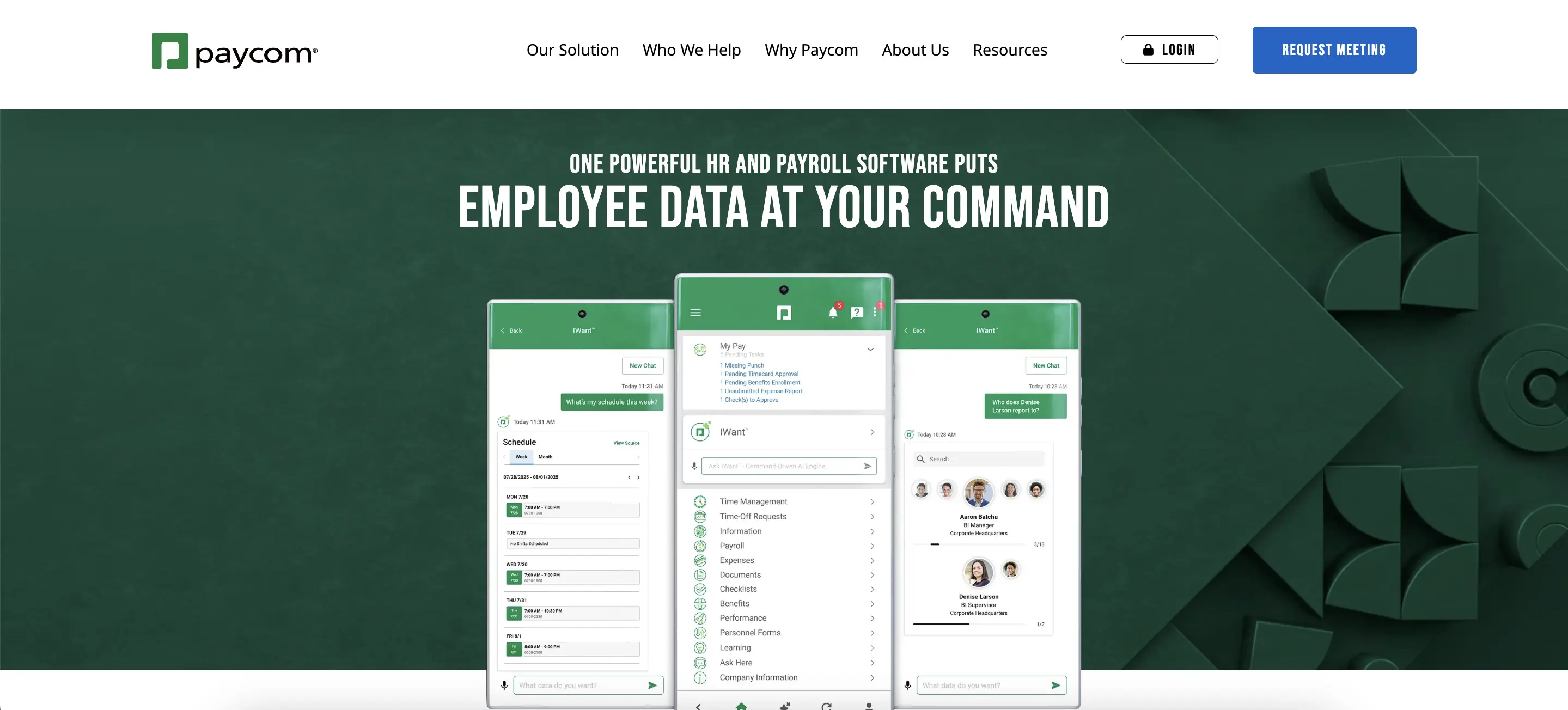
Paycom is a cloud-based human capital management platform built on a single database, covering payroll, HR, time and labor, talent management, and recruiting for U.S. mid-market companies. Founder Chad Richison still leads the company today, nearly three decades after Paycom launched in Oklahoma City.
Paycom built every module in-house using the same underlying data structure. I assessed whether this single-database claim stands up in real use or if it's just Paycom's marketing framing. In every module I tested, changes made in one place were reflected everywhere else without needing a manual sync step.
Paycom Features Review
Paycom's product covers core HR, payroll, talent acquisition, talent management, and a newer AI engine, all built on that same database. Below is my feature-by-feature evaluation of what each module delivers and where it starts to show its limits:
Core HR & Employee Database
Employee records, organizational structure, custom fields, and document storage are all in the same database that supports payroll and every other module. I updated a test employee's address and saw it automatically update in payroll, benefits, and tax records without needing a separate save step anywhere else.
Employees can manage their own profile changes, pull pay stubs, and access tax documents through Employee Self-Service. HR staff I spoke with said this has led to the biggest reduction in routine data-entry requests they've seen, as most personal updates never even reach an HR inbox.
Applicant Tracking & Recruiting
Job postings automatically distribute to Indeed, LinkedIn, Glassdoor, and more. Resume data is parsed into a candidate profile as soon as someone applies. I moved a test requisition through the pipeline and appreciated that once a candidate is hired, their application, resume, and offer letter go directly into the employee file without needing re-entry.
Enhanced Background Checks return results in three to seven days and sync status updates automatically. However, I encountered limits with candidate screening: the system filters by keyword match and allows recruiters to build a searchable applicant database.
However, it doesn't score or rank candidates against role requirements, and there’s no way to rediscover strong past applicants when a similar role opens later.
Payroll & Tax Compliance
Multi-state tax calculation, deductions, garnishments, and direct deposit all execute within the payroll module. Filings are sent automatically to the correct federal, state, and local agencies. I tested a multi-state pay run, and every jurisdictional tax rule applied without a manual override.
Paycom expanded its international presence, adding native payroll processing in Mexico, Canada, the UK, and Ireland, in addition to the existing Global HCM product. This product maintains employee records and compliance reporting across more than 180 countries.
For a fully U.S.-based company, this section is not very relevant. However, for a company with a few international hires, it’s a strong reason to consider Paycom over a domestic-only competitor.
Beti: Employee-Driven Payroll
Beti changes the usual payroll workflow. Instead of an admin building and submitting payroll, the system automatically creates it from live hours, deductions, and time data. It then prompts each employee to review and approve their own paycheck before submission.
I went through a mock pay cycle as an employee, and the discrepancy flags were specific: a missing punch, an unexpected deduction, not just a generic "check your pay" reminder.
This is Paycom's most distinctive feature and the one that defines the platform's entire payroll philosophy. It shifts error-catching to the person who knows their own hours best.
That’s why Paycom highlights internal data claiming up to a 90% reduction in time spent on payroll corrections. The catch is adoption: Beti's value only shows up if employees engage with the review step. Low app usage significantly reduces the benefit.
Onboarding & Offboarding
New hires complete digital paperwork, e-signatures, and benefits enrollment before day one. Everything flows into the employee record without HR needing to re-enter a single field. I traced a test hire from offer acceptance through first-day setup. The checklist-driven flow ensured nothing was left half-completed at handoff.
Offboarding works the same way in reverse. It closes out benefits, final pay, and system access with one action. This is one of the platform's smoothest experiences, mainly because it benefits from the same single-database advantage that makes the rest of Paycom work.
Time & Labor Management
Clock-ins via web, mobile, or physical terminal feed straight into payroll, with geofencing, overtime alerts, and labor allocation across departments or projects built in. I clocked a shift through the mobile app and the hours appeared in the payroll queue immediately, no batch import required.
GONE, Paycom's time-off decisioning tool, automates approvals against rules a company sets in advance and notifies the employee in real time once a decision is made. After testing it against a few different policy configurations, I found the logic held up cleanly even with overlapping eligibility rules.
Position Management & Workforce Planning
Rather than linking pay grades, workflows, and staffing rules to individual people, Position Management connects them to the role itself. When I opened a vacant position, every related attribute salary range, required skills, and reporting line automatically transferred to whoever filled it next, with no manual rebuild needed.
This is especially important at scale. When a company restructures a department, it doesn't lose historical staffing logic when someone leaves. Compensation Budgeting pulls directly from position data.
Additionally, a new Career and Succession Planning tool, released in March 2026, includes 9-box talent mapping and automated match scoring to help identify internal successors.
Benefits Administration
Enrollment, life-event changes, and carrier connections follow the same self-service process as the rest of Paycom. Employees can only see the plans they qualify for. I went through a mock open enrollment, and the eligibility logic worked correctly without any manual setup on my part.
COBRA administration and ACA reporting are integrated rather than added as a separate compliance product. The benefits experience remains simple for employees, but the initial carrier setup needs more coordination with a Paycom specialist compared to some other modules.
Performance Management
Goal setting, self-assessments, manager reviews, and 360-degree feedback are all included, with templates that adapt to structured annual or quarterly cycles. I set up a mock review cycle, and the configuration options covered standard use cases without a workaround.
Compensation data from a completed review flows directly into Compensation Budgeting. This allows a manager to preview the pay impact of a rating before finalizing it. Teams that rely on frequent, informal check-ins, rather than scheduled review periods, may find the structure more rigid than a dedicated continuous-feedback tool.
Learning Management
Paycom Learning lets admins assign courses, track completions, and enforce required training like harassment prevention or safety certification, with completed records logging directly into the employee file. I assigned a test course, and the completion status synced to the employee's file the same day, which is useful for audit trails without a separate LMS export.
The content library covers standard compliance topics well. Teams that want a deep, purpose-built learning catalog with extensive third-party course integrations will find the selection narrower than that of a dedicated LMS platform.
IWant AI Engine
IWant, launched in July 2025, allows users to ask plain-language questions by voice or text and receive instant answers directly from Paycom's single database, without having to navigate menus. I asked for a team member's remaining PTO balance and a department's overtime total, and both answers came back correctly and immediately.
Founder Chad Richison described it as the company's biggest release since 1998, and this claim is not just marketing. Since IWant only pulls from data already in Paycom's database, it avoids the accuracy issues that often affect AI assistants built on multiple disconnected systems.
Adoption is still growing among administrators, and its capabilities are currently limited to retrieving and navigating existing data, rather than making decisions or flagging issues independently.
Direct Data Exchange & Reporting
Direct Data Exchange tracks how much of a company's workforce uses self-service features versus relying on HR to enter changes manually, then converts that usage gap into a dollar figure based on published EY cost-per-task research. I pulled a usage report, and it broke down exactly which teams were still routing basic updates through HR instead of self-service.
Standard reports cover payroll, headcount, and turnover well. Custom, cross-tabular reporting shows the interface's age most clearly: the report builder takes more steps to navigate than most modern competitors, and I found that building a filtered custom view took more clicks than it should for a platform this mature.
Expense Management
Employees submit expenses and attach receipts through the same app used for payroll and time, with manager approval routed automatically based on configured thresholds. I submitted a test expense and the approval chain triggered without any separate login or export step.
The module covers standard corporate spend tracking cleanly. It doesn’t have the dedicated corporate card issuance and real-time spend controls that a spend management platform provides. So, companies with high card spending will likely need another tool to use with it.
Paycom Pricing Review: Is It Worth the Investment?
Paycom does not publish pricing. Every quote depends on employee count, selected modules, and payroll frequency, since the platform bills per pay run rather than a flat monthly rate.
The billing model itself affects the total more than most buyers expect. Paycom charges per paycheck instead of per month. This means a company on a weekly payroll cycle pays more over a year than one on a biweekly cycle, even with the same headcount.
Renewal pricing is a separate negotiation each year, not just a formality. The unclear quote structure means two companies of similar size can end up with significantly different rates based on how the deal was negotiated.
There is no free trial. Evaluating Paycom requires booking a demo and going through a sales-led discovery process before any numbers are provided.
Paycom Marketplace
Paycom adopts a closed approach to integrations, differing from competitors built around open, self-serve app marketplaces. There is no public API or developer portal for customers or third parties.
Native integrations focus on core functions, including job board postings via Indeed, LinkedIn, Glassdoor, SimplyHired, and Resume.com, as well as background checks through partners such as HireRight and Sterling, and Paycom's Enhanced Background Checks.
For other needs, accessing Paycom data usually requires a middleware provider like Finch or Merge, or a direct agreement with Paycom.
This strategy reflects Paycom’s philosophy that it prefers to develop features internally rather than opening its data to a wider partner ecosystem. Companies using various specialised solutions should confirm integration depth for their tools, as the native-first model limits third-party connectivity.
Paycom Security and Compliance
Paycom maintains SOC 1, SOC 2, and SOC 3 reports, audited bi-annually for SOC 1 and annually for the others. It holds various ISO certifications, including ISO 27001 and ISO 27701, offering a wider range than most payroll processors.
The company operates its own data centres, with two certified Tier IV by the Uptime Institute, indicating exceptional fault tolerance. Few facilities in the U.S. achieve this, and Paycom claims to be one of only five with a Tier IV-certified facility.
Data protection measures include AES-256 encryption, TLS encryption, multi-factor authentication, and a 24/7 security operations centre. Additionally, Paycom is the American Hospital Association's preferred cybersecurity provider for payroll and HCM services.
Paycom Pros & Cons
Strengths of Paycom
Based on my evaluation and verified user reviews, here are the standout pros of Paycom:
- Single-Database Architecture Delivers on Its Claim: Teams consistently highlight the lack of sync errors and duplicate data entry as the platform's biggest advantage over competitors that were built through acquisition.
- Beti Measurably Reduces Payroll Errors: Users report a significant drop in correction rates after adoption. Many call it the gold standard for ensuring payroll accuracy by relying on the people who know their own hours best.
- Customer Support Stands Out at This Price Point: Verified users regularly commend dedicated account representatives and quick response times. This is reflected in Paycom's repeated Top Rated and Buyer's Choice recognition from independent review platforms.
- Ease of Use Despite Platform Depth: New employees and HR admins find the core workflow intuitive. They need minimal training for everyday tasks like time-off requests and paystub access.
- Strong 2025-2026 Product Momentum: Users noted real progress, including IWant's launch, expanded international payroll, and the new Career and Succession Planning tool, rather than a platform relying solely on its original features.
Limitations of Paycom
Despite these strengths, the same users reported several cons of Paycom that you should be aware of:
- The Applicant Tracking System Feels Basic: Verified users find it clunky compared to dedicated recruiting platforms. It relies on keyword filtering instead of any form of candidate scoring or ranking.
- No Talent Rediscovery for Past Applicants: Once a requisition closes, candidate data becomes inactive. There’s no way to search previous applicants for a new opening without starting over.
- Reporting Interface Shows Its Age: Custom, cross-tabular reports require more clicks than other parts of the platform. Several users say it’s the least modern aspect of the experience.
- Closed Integration Model: Unlike competitors with open, self-serve marketplaces, Paycom's native-first approach means third-party connectivity is limited. It often requires middleware or a direct agreement.
- Pricing Stays Opaque Through Renewal: There are no published rates. Multiple reviewers describe year-two pricing as a new negotiation rather than a predictable renewal.
- Support Quality Varies by Region: While generally praised, some users mention inconsistent responsiveness or turnover among representatives after the initial implementation is complete.
How Integrating Skima AI Can Handle Paycom's Limitations
Paycom's ATS filters applicants by keyword rather than screening them, and there is no module to search a closed requisition's applicant pool when a similar role opens later. To address these Paycom limitations, i noticed users often integrate Skima AI without replacing the payroll and HR workflows that already work. Here's what the integration provides:
- Job Description Compliance Check: Before a role goes live, Skima AI reviews the job description for language that could pose legal, bias, or compliance risks. It flags issues before they impact the candidate pool.
- AI Candidate Screening for New Applicants: As candidates apply for a role synced from Paycom, Skima AI evaluates each resume against the job's actual requirements. It automatically ranks the pool, allowing a recruiter to open a prioritized shortlist instead of a keyword-filtered list for manual review.
- Talent Rediscovery for Past Candidates: Skima AI scans a company's existing Paycom candidate database for individuals who applied or were screened before but were never hired. It surfaces qualified matches for a new opening instead of starting from scratch each time.
- Explainable Match Scoring Behind Both: Every candidate, whether new or rediscovered, receives a score along with specific reason bullets detailing skills, experience, and certifications. This way, a recruiter can see exactly why a candidate received their ranking.
Who Is Paycom Best For?
Paycom is best for U.S. mid-market companies with 50 to 2,000 employees that want integrated payroll, HR, time, and talent management. It’s a good choice if you’re frustrated with reconciling data from multiple systems.
Moreover, the employee-driven payroll accuracy via Beti is more appealing than a fully admin-managed approach. If your workforce is mainly U.S.-based and you prefer dedicated support while consolidating vendors, Paycom provides a complete solution for the employee lifecycle.
Who Should Avoid Paycom?
Avoid Paycom if you require a modern, AI-driven ATS with native candidate scoring and rediscovery. If your team uses various specialized solutions and needs an open integration marketplace, steer clear.
Additionally, if you want transparent pricing before contacting sales, or if your workforce is mostly international, consider alternatives. Small businesses needing minimal features should also look elsewhere
Final Verdict: Should You Buy Paycom?
If you're a mid-market U.S. company looking for unified payroll, HR, and talent management in one database, Beti’s employee-driven payroll model suits your workforce. The single-database feature proves effective in practice, distinguishing Paycom from other HCM platforms that are merely patched together through acquisitions.
However, if advanced AI-driven recruiting is essential or your integration needs surpass Paycom's native capabilities, consider alternatives. The ATS and reporting interface reveal the platform's age and limitations. Therefore, using Paycom alongside a specialised tool for these gaps offers a more pragmatic solution than relying solely on the core platform.
Paycom Frequently Asked Questions
1. What is Paycom?
Paycom is a cloud-based human capital management platform that unifies payroll, HR, time tracking, benefits, and talent acquisition in one single-database system to reduce duplicate data entry and streamline HR operations.
2. Is Paycom legit?
Yes, Paycom is a long-established HCM vendor with enterprise deployments, verified customer reviews, regulatory compliance features, and a formal sales/implementation process. Conduct due diligence on pricing, modules, and onboarding before buying.
3. How does Paycom's pricing work?
Paycom pricing is customized by employee count, selected modules, payroll frequency, and implementation complexity. The vendor requires contacting sales for a tailored quote; ask for a detailed fee breakdown and estimated total cost.
4. Does Paycom include an applicant tracking system (ATS)?
Yes, Paycom’s ATS supports job posting, resume collection, candidate tracking, onboarding, background checks, and E-Verify. It is tightly integrated with payroll and HR data, but may lack some advanced sourcing/CRM features of specialist ATSs.
5. Can I integrate Skima AI with Paycom?
Yes, Skima AI can integrate with Paycom via APIs or connectors to add resume parsing, candidate enrichment, and AI scoring. Integration augments recruiting workflows while keeping Paycom as the authoritative HR and payroll system.
6. How does Skima AI improve hiring when paired with Paycom?
Skima AI improves Paycom hiring by automating resume parsing, ranking candidates against job criteria, recommending internal matches, and cutting manual screening time. That raises shortlist quality and speeds recruiters' decision-making.


