






















- Overview: PCRecruiter is a cloud-based ATS + CRM built for staffing agencies and executive search firms to manage candidates, clients, and placements in one system.
- Primary Features: Recruitment CRM (PCRM), AI drafting tools, email integrations, workflow automations, mobile app, job board publishing, public API, and reporting.
- Starting Price: ~$85–$115 per user/month, depending on contract and modules, plus possible job board setup fees.
- Best For: Staffing agencies and niche recruiting teams needing customization, strong database search, and reliable support.
- Not Ideal For: Large enterprises or high-volume teams requiring advanced native automation, modern dashboards, or plug-and-play deployment.
- Integration: Skima AI integration provides AI matching, automated screening, talent rediscovery, real-time candidate ranking, and faster shortlisting on top of PCRecruiter.
PCRecruiter is an ATS and CRM hybrid built specifically for recruiting agencies, executive search firms, and staffing teams that need to manage candidates, clients, and jobs on one centralized platform.
While PCRecruiter excels at flexibility and customization, the configuration is upfront and has a steeper setup process. Enterprise HR departments looking for pre-built workflows or teams that want instant deployment might feel limited.
Our research team invested over 42 hours analyzing the product, docs, verified user reviews, pricing, and integrations to provide you with an unbiased PCRecruiter review.
Why Trust Our PCRecruiter Review?
To deliver an honest, detailed, and credible PCRecruiter review, our team evaluated the platform. We prioritized verified customer voices over promotional content.
Our review methodology includes:
- Official Product Analysis: Evaluated PCRecruiter's core ATS, CRM, automation, and AI features directly from the official website and product documentation.
- Verified User Reviews: Analyzed patterns from verified reviews on G2, Capterra, and other review platforms to identify recurring themes and genuine pain points.
- Role-Based Use Cases: Assessed value specifically for recruiting managers, agency owners, sourcers, and TA professionals managing candidate pipelines and client relationships.
There are no affiliate links or paid sponsorships influencing this review.
PCRecruiter Overview
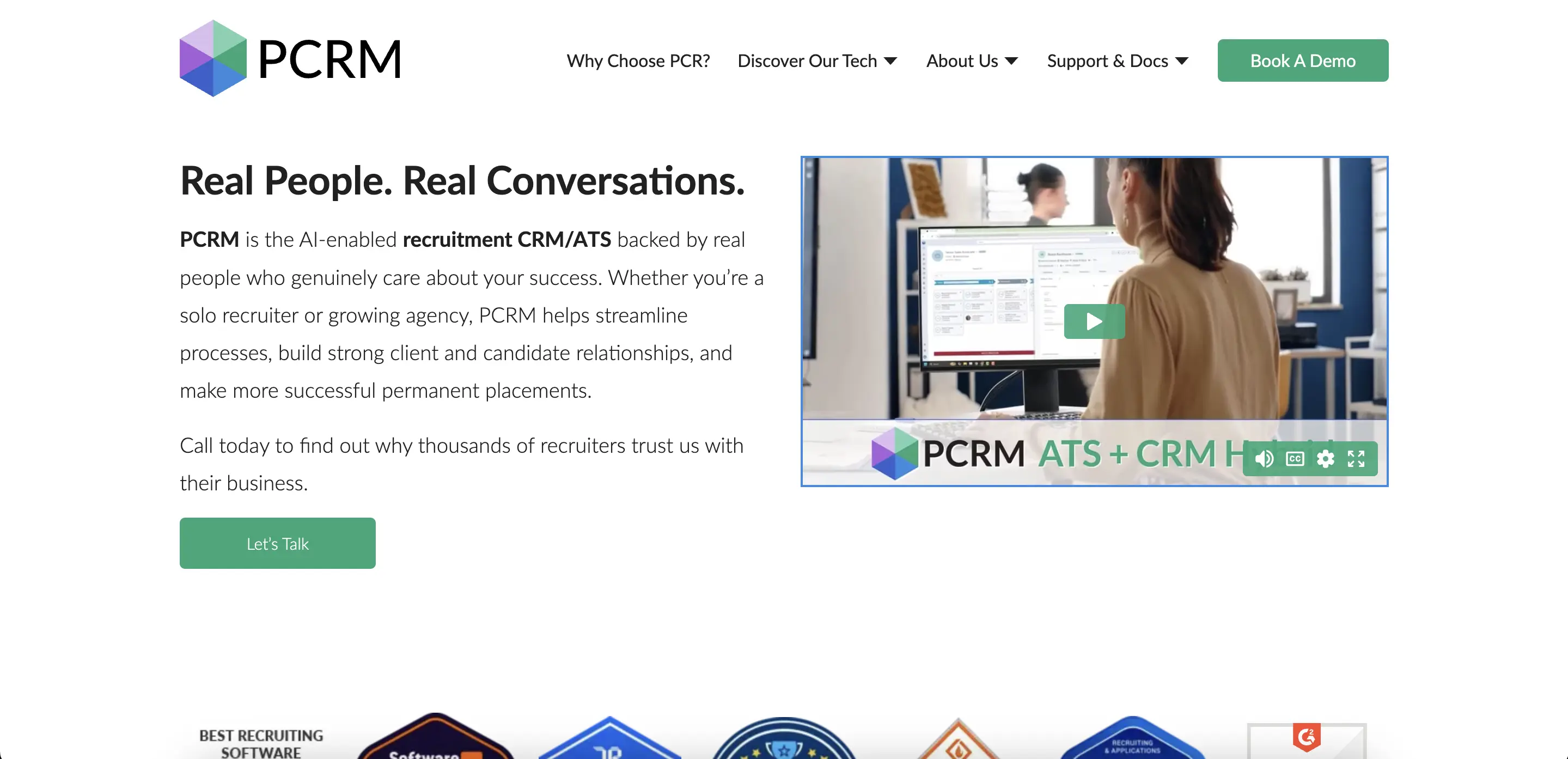
PCRecruiter is a cloud-based ATS and CRM platform for recruiting agencies, executive search firms, contract staffing, and RPO professionals.
Unlike enterprise HR platforms that focus on employee management, PCRecruiter treats candidates and clients equally. This key feature helps agencies manage multiple hiring relationships at once.
At its core, PCRecruiter is built for teams that want control over how they organize, search, and manage their talent database without being forced into rigid, pre-built processes.
Key PCRecruiter Features
Below are the 10 primary features we verified from PCRecruiter's official website:
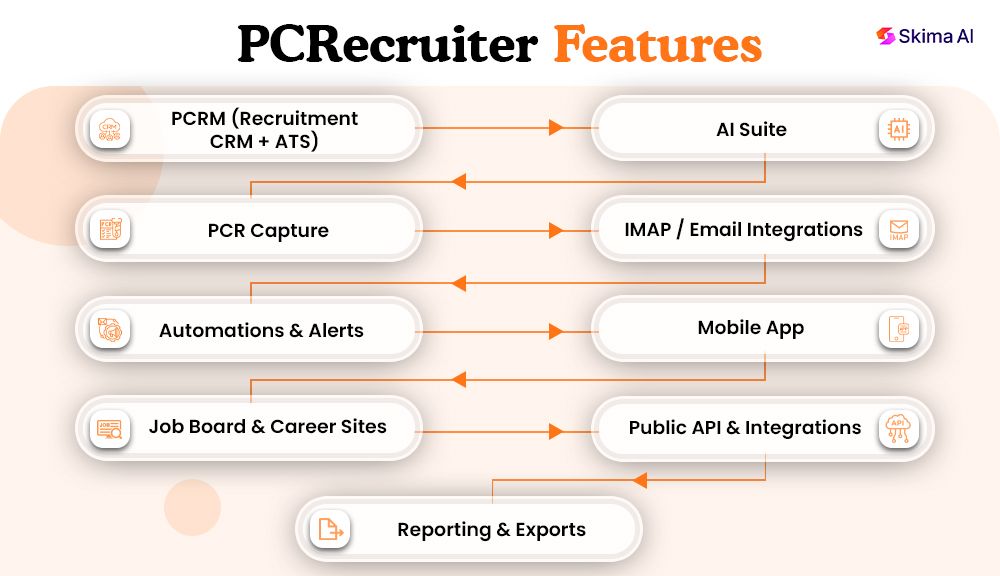
- PCRM (Recruitment CRM + ATS): A unified database to manage candidates, clients, and placements. It includes workflow tracking and placement history.
- AI Suite: AI tools to draft recruiting emails, job descriptions, and candidate summaries. It speeds up communication and database searches.
- PCR Capture: A browser plugin that imports and merges candidate data from web sources into your database.
- IMAP / Email Integrations: A native email client with Outlook and Gmail integrations for automatic email logging. Access Outlook in a pane.
- Automations & Alerts: Triggers and automated communications for events like new applicants and placements. This reduces manual follow-ups.
- Mobile App: A mobile app for recruiters to access records and notifications on the go. Contractor time-tracking is available in the app.
- Job Board & Career Sites: Built-in job board publishing and customizable career site options. One-time setup fees apply for design.
- Public API & Integrations: A robust public API with documented integration capabilities. Connect PCR to custom systems and third-party tools.
- Reporting & Exports: Standard reporting and data export options. Customizable reports are available via existing tools, though some users want deeper analytics.
PCRecruiter Pricing
Pros and Cons of PCRecruiter
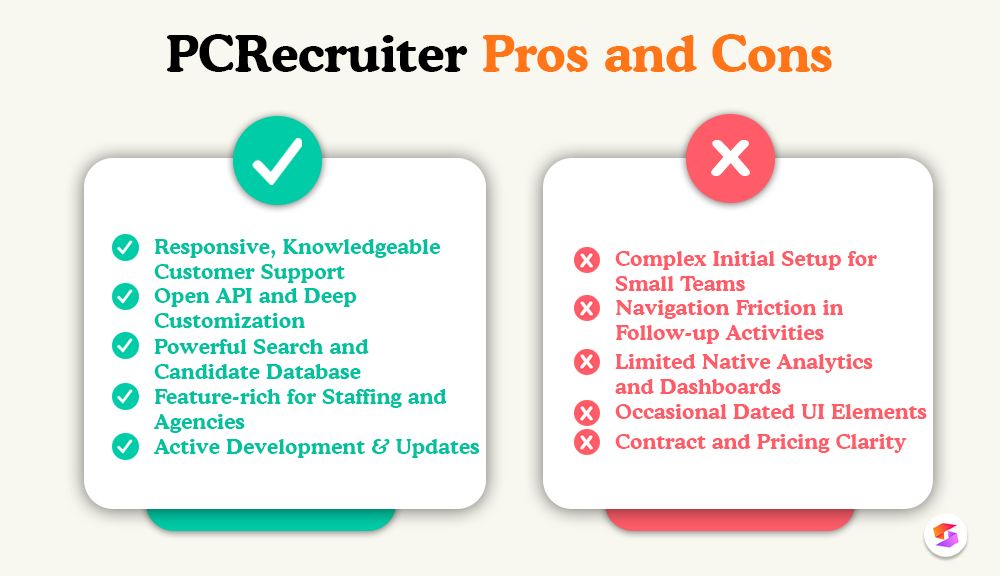
Based on extensive verified user feedback from trusted review platforms, PCRecruiter delivers clear advantages:
- Responsive, Knowledgeable Customer Support: Support teams get frequent praise for their quick and helpful responses. Their proactive troubleshooting makes onboarding and platform use smoother.
- Open API and Deep Customization: PCR’s public API and configurable fields let teams adapt workflows, connect systems, and create automations without strict defaults.
- Powerful Search and Candidate Database: Strong filters, boolean options, and fast indexing help recruiters quickly find and segment candidates in large datasets.
- Feature-rich for Staffing and Agencies: Built-in timesheets, contractor tracking, job portals, and placement workflows reduce the need for several third-party tools in staffing tasks.
- Active Development and Updates: Users report consistent feature updates, including AI enhancements, reflecting the vendor’s dedication to improving the product.
While PCRecruiter excels in many areas, verified users identified meaningful limitations:
- Complex Initial Setup for Small Teams: Small teams may need technical support or paid consulting to configure workflows, permissions, and integrations due to limited IT resources.
- Navigation Friction in Follow-up Activities: Users frequently report that follow-up tasks, split-screen views, and activity locations are tricky to find and not intuitive.
- Limited Native Analytics and Dashboards: Reviewers often want more modern and flexible reporting options. They prefer BI-style dashboards without the need to export data.
- Occasional Dated UI Elements: Some users describe parts of the interface as outdated. This can make it feel less user-friendly compared to newer ATS options.
- Contract and Pricing Clarity: Pricing varies with contract length and modules. Reviewers advise getting a written quote, as advertised starter rates can change upon closer inspection.
How Can Integrating Skima AI Handle PCRecruiter Limitations?
Skima AI adds an intelligent matching, talent rediscovery, and screening layer to your existing PCRecruiter system. It provides deeper candidate analysis, automated outreach, resume enrichment, and clear match scoring. Best of all, it doesn't replace your core ATS.
When integrated with PCRecruiter via API, Skima AI helps recruiting teams tackle two main issues. First, it speeds up finding the best candidates from large databases. Second, it automates initial candidate screening.
Key benefits of PCRecruiter integration with Skima AI:
- Instant Candidate Ranking: Every new or updated candidate in PCRecruiter gets a real-time score. The top 10 candidates refresh automatically as your database grows.
- Talent Rediscovery: Skima AI searches your past candidate records. It finds qualified talent you've sourced but might have overlooked, effectively doubling your candidate pool without needing external sources.
- Streamlined Manager Collaboration: Managers can approve or skip candidates from a simple shortlist dashboard. No login is needed, and their decisions sync automatically with PCRecruiter for full visibility.
- Time-to-Screen Reduction: Real-world data shows a 58% improvement in time-to-screen. You’ll also see double the interviews from top-10 shortlists, along with a +24 NPS improvement from hiring managers.
Who Should Consider PCRecruiter?
PCRecruiter is ideal for:
- Independent recruiters and small staffing firms that need a reliable system.
- Specialized recruiting niches that require custom configuration.
- Teams prioritize stability and support over flashy interfaces.
- Long-term hiring operations seeking predictable pricing.
Who Should Avoid PCRecruiter?
PCRecruiter may not be the best fit if:
- You're a large enterprise needing complete automation.
- Your team needs flexibility with month-to-month agreements.
- You're a high-volume hiring company requiring advanced automation.
- You rely heavily on email and need a flawless experience.
Final Verdict - Is PCRecruiter Right for You?
As this PCRecruiter review found, it is a robust ATS/CRM platform for recruiting agencies, executive search, and staffing teams that prioritise flexibility and support. It offers strong value at a reasonable per-user rate, excelling where generic software falls short.
However, it requires significant upfront investment in configuration, training, and possibly external consulting before achieving full productivity. The interface, though functional, lacks modern design. While the new AI Candidate Match is an improvement, it does not fully meet the expectations for automation and intelligent screening.
The key missing element is advanced candidate matching and screening automation. Integrating Skima AI with PCRecruiter addresses this issue, transforming it into a genuinely intelligent recruiting platform. This enhances your investment by automating complex recruiting tasks, allowing focus on relationship-building and closures.
Frequently Asked Questions
1. What is PCRecruiter?
PCRecruiter is a cloud-based applicant tracking system and recruiting CRM designed for staffing agencies, search firms, and in-house teams. It centralizes candidate data, automates workflows, supports integrations, and manages placements efficiently.
2. Is PCRecruiter legit?
Yes, PCRecruiter is a legitimate, established ATS and recruiting CRM used by staffing firms and corporate talent teams. Customers cite reliable support, regular updates, and production-tested features across sourcing, placements, and integrations.
3. How much does PCRecruiter cost?
PCRecruiter pricing depends on modules, contract length, and user count. Public starter rates exist, but exact per-user fees vary; request a personalized quote from sales to confirm features, setup fees, and current discounts.
4. Does PCRecruiter integrate with Skima AI?
PCRecruiter can integrate with Skima AI via API or middleware, enabling explainable candidate scoring, content generation, and talent intelligence. Integration reduces manual screening and surfaces evidence-backed candidate matches inside PCRecruiter workflows.
5. What benefits does Skima AI add to PCRecruiter?
Skima AI augments PCRecruiter by scoring candidates, producing concise summaries, and highlighting matching evidence. Recruiters gain faster shortlists, transparent rationale for decisions, and iterative model improvements from ongoing placement feedback.
6. Who should use PCRecruiter?
PCRecruiter suits staffing agencies, search firms, and medium-sized corporate TA teams needing customizable workflows, timesheet and placement management, open API access, and a centralized recruiting CRM for high-volume sourcing and long-term candidate relationships.


