






















- Overview: PrimePay is an integrated HR and payroll platform combining payroll, HR, benefits, compliance, time tracking, and basic ATS in one modular system.
- Primary Features: Payroll automation, basic ATS, onboarding, time & attendance, benefits, compliance, reporting, and position management.
- Starting Price: Custom pricing based on company size, modules, payroll complexity, and implementation scope.
- Best For: Small to mid-sized businesses needing payroll compliance and an all-in-one HR platform with scalable add-on modules.
- Not ideal for: Enterprises that need advanced ATS, sourcing, analytics, or transparent self-serve pricing.
- Integration: Skima AI integration with PrimePay provides AI candidate scoring, explainable match reasons, automated screening, and talent rediscovery.
PrimePay is an integrated HR and payroll platform. It combines applicant tracking, payroll processing, time and attendance, benefits administration, and compliance in one unified system.
While PrimePay delivers solid value for small organizations seeking an all-in-one HR solution, its ATS capabilities don't match specialized recruiting tools, and support inconsistencies have frustrated some users.
Our research team invested over 42 hours analyzing PrimePay features, docs, verified user reviews, and pricing. Our detailed PrimePay review shows where it shines and where teams may struggle or need integrations.
Why Trust Our PrimePay Review?
Our in-depth PrimePay review is not a generic software overview. The analysis and methodology combine:
- Product details and feature positioning from PrimePay's official website and pricing pages.
- Verified user reviews and ratings from platforms like G2 and Capterra, focusing on 2025-2026. This way, the pros and cons show the current product, not an old version.
Note: There are no affiliate links or paid placements influencing this view.
PrimePay Overview
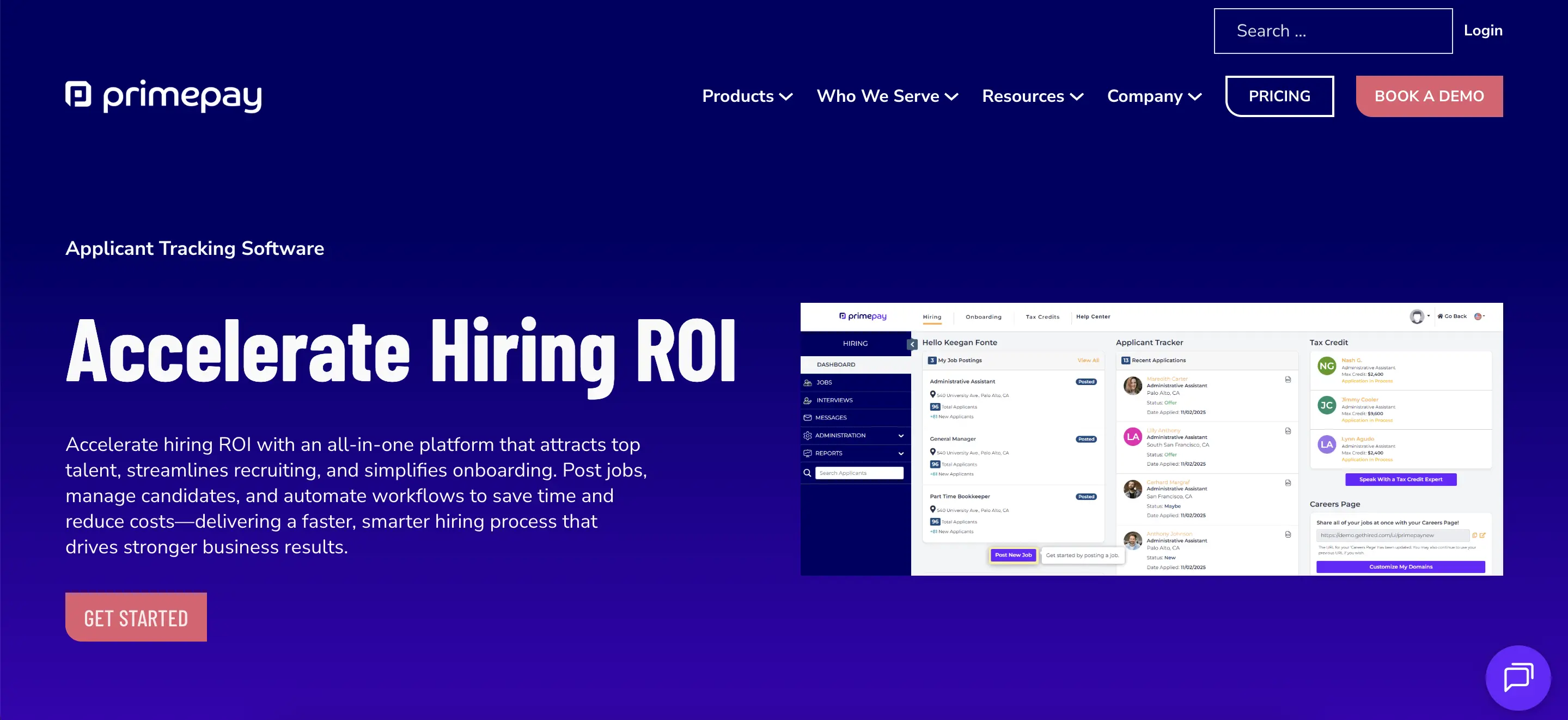
PrimePay is a cloud-based HCM platform tailored for small to mid-sized organizations. It features a modern architecture that keeps position management separate from employee data. This setup helps businesses maintain historical records of changes.
The platform also serves as a central hub for payroll processing, applicant tracking, time and attendance management, benefits administration, and employee onboarding.
Rather than pushing organizations to adopt a large system all at once, PrimePay allows you to start with payroll. You can add modules like ATS and benefits as your needs grow. This approach is great for growing companies that want to avoid paying for features they aren't using yet.
Key PrimePay Features
Below are the primary features we verified on PrimePay’s official site:
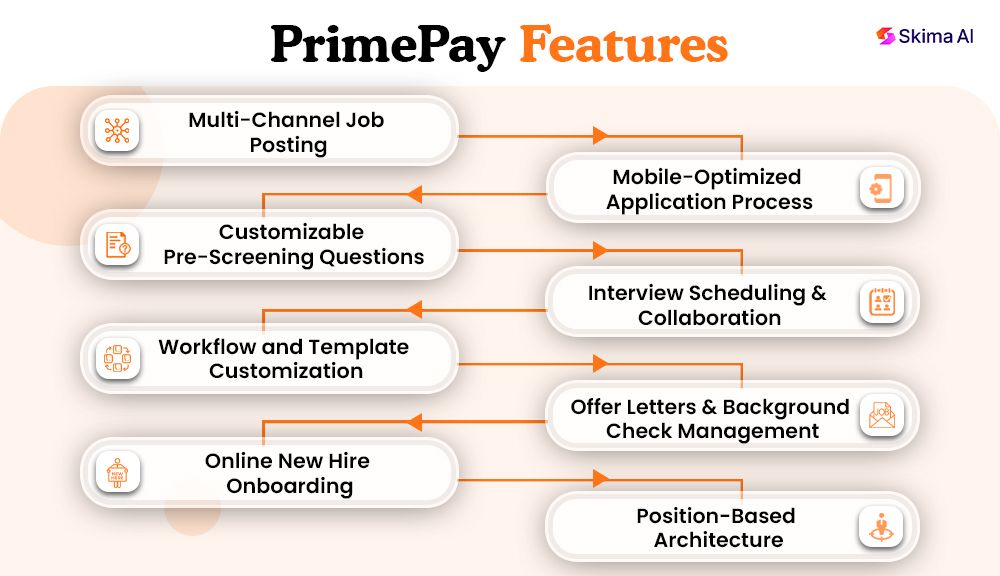
- Multi-Channel Job Posting: Post job openings to top job boards and social media with one click. This simplifies the candidate attraction phase.
- Mobile-Optimized Application Process: Job postings automatically format for mobile devices. This helps reach the more than 50% of job seekers who apply from phones or tablets.
- Customizable Pre-Screening Questions: Create job-specific pre-screening questions. You can capture video or audio responses for better candidate insights.
- Interview Scheduling & Collaboration: Organise candidates, schedule interviews, and collaborate with your hiring team directly in the ATS interface.
- Workflow and Template Customization: Adjust hiring workflows, requisitions, rating templates, and evaluation criteria to fit your organisation’s needs.
- Offer Letters & Background Check Management: Generate and send electronic offer letters. Manage background check processes without leaving the platform.
- Online New Hire Onboarding: New employees can complete and electronically sign onboarding documents (I-9s, W-4s, payroll forms) from any device.
- Position-Based Architecture: Manage position and employee data separately. This enables historical tracking of changes and future headcount planning.
PrimePay Pricing
Pros and Cons of PrimePay
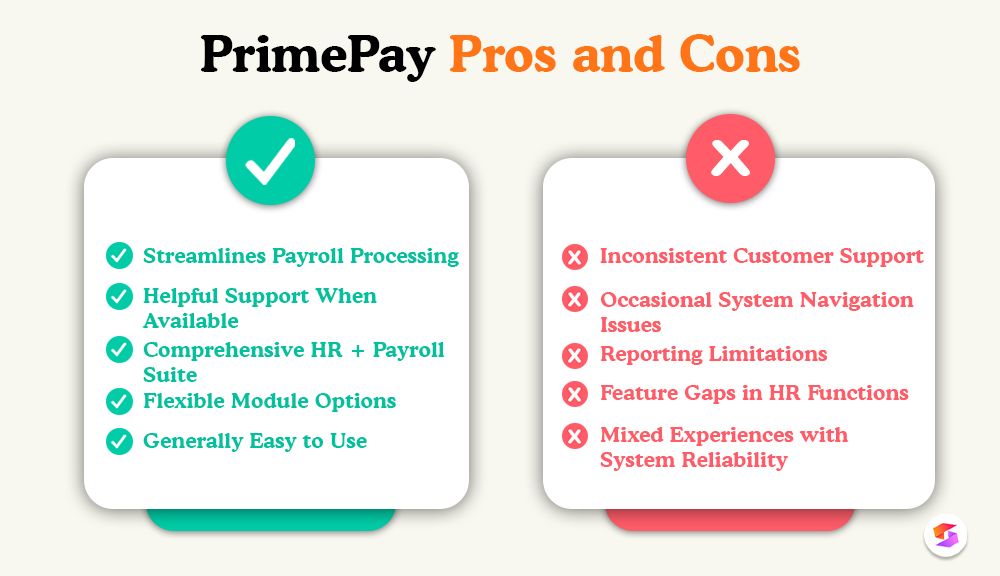
Below are the highlights of PrimePay based on real-user reviews:
- Streamlines Payroll Processing: Users report that payroll runs smoothly. Automated tax filing cuts down on manual work and errors.
- Helpful Support When Available: Several reviewers praise the knowledgeable and responsive support staff. This is especially true during implementation or when handling complex queries.
- Comprehensive HR + Payroll Suite: Users like having one platform that combines payroll, benefits, compliance, and HR admin. This reduces the need for multiple tools.
- Flexible Module Options: Clients appreciate PrimePay’s modular pricing. They can choose only the HR/payroll features they need, improving cost-effectiveness when planned well.
- Generally Easy to Use: Many users find the interface intuitive, especially for payroll tasks and basic HR functions. This ease reduces onboarding time for admins.
While PrimePay is widely used, users have repeatedly reported the following common limitations:
- Inconsistent Customer Support: Several users complain about slow email responses, long wait times on calls, and inconsistent follow-up from support teams.
- Occasional System Navigation Issues: Some users find it hard to locate parts of the interface or reporting features, which they feel are not very intuitive.
- Reporting Limitations: Reviewers point out that customising reports and accessing real-time insights can be less flexible compared to dedicated payroll and HR tools.
- Feature Gaps in HR Functions: Beyond payroll, a minority of users feel that the HR modules (like advanced timekeeping or mobile tools) lack depth.
- Mixed Experiences with System Reliability: Some users report issues with payroll or tax processing errors, as well as challenges with password resets or logging in.
How Can Integrating Skima AI Handle PrimePay Limitations?
Skima AI acts as an intelligence layer that can plug into PrimePay’s HCM/ATS to accelerate hiring, improve screening accuracy, and reduce time-to-hire.
Technically, Skima AI integrates via secure REST APIs or prebuilt connectors and writes AI match scores, reasons, and “Skima Screened” tags back to candidate records in PrimePay.
Practically, this delivers three immediate benefits for recruiters and hiring managers:
- Faster Screening: Automated match scores (0–100) flag top applicants so recruiters review fewer high-quality resumes.
- Better Decision Evidence: Skima AI provides short reason bullets that explain why a candidate fits. That reduces bias and helps managers defend hiring choices.
- Cross-module intelligence: Skima AI can surface internal talent by analyzing employee profiles, which lowers external hiring costs and boosts internal mobility.
Who Should Consider PrimePay?
PrimePay is ideal for:
- Small to mid-market businesses that want payroll and HR from one vendor.
- Companies that prioritize payroll compliance and multi-state tax handling.
- Organizations that want add-on HR services (LMS, performance, ATS) available from a single provider to reduce vendor sprawl.
- Teams that value U.S.-based support and advisory services for legal/HR guidance.
Who Should Avoid PrimePay?
PrimePay might not be suitable for:
- Startups or small teams on a tight budget who only need basic hiring tools; ATS and advanced modules cost extra.
- Enterprises requiring top-notch ATS features (like large-scale talent sourcing and advanced workflows); specialized platforms may offer better recruitment options.
- Buyers needing fully transparent, self-serve pricing; PrimePay requires a sales contact for detailed quotes.
Final Verdict - Is PrimePay Right for You?
As this PrimePay review found, it offers an affordable, integrated HR platform with reliable payroll processing for small to mid-market businesses. It's ideal for organizations that need payroll accuracy and compliance automation.
While its applicant tracking system is functional, it lacks advanced features. Customer support can be inconsistent.
Integrating Skima AI with PrimePay enhances its recruiting capabilities, providing AI-powered match scores, automated candidate rediscovery, and talent pipeline analytics. This combined solution offers enterprise-grade recruitment capabilities at a lower cost, making PrimePay a legitimate ATS solution for SMBs.
Frequently Asked Questions
1. What is PrimePay?
PrimePay is a U.S.-focused payroll and HR platform providing payroll processing, tax filing, time tracking, benefits administration, onboarding, and optional ATS. It targets small to mid-sized businesses needing integrated HR and payroll.
2. How much does PrimePay cost?
PrimePay pricing varies by plan and add-ons; official quotes require contacting sales. Costs depend on employee count, payroll frequency, and optional modules like ATS, time tracking, and HR advisory services.
3. Does PrimePay include an applicant tracking system (ATS)?
Yes, PrimePay offers an applicant tracking system as an add-on or included in higher-tier packages. This system lets you post jobs, track candidates, and manage basic onboarding. When activated, it also connects with payroll.
4. Why does PrimePay integrate with Skima AI?
PrimePay integrates with Skima AI through APIs or connectors to enhance candidate screening, add explainable match scores to ATS records, and surface internal talent for faster hiring decisions.
5. Is PrimePay suitable for small businesses?
PrimePay suits small businesses needing reliable payroll, tax filing, and basic HR; growing firms benefit from modular add-ons like time tracking and ATS, but expect sales consultation for exact pricing.


